Code Review with Pull Requests: AI-Generated Code Evaluation
In this lesson, you'll master the professional GitHub workflow where code is reviewed BEFORE merging to main. You'll also learn the critical practice of documenting AI assistance transparently—essential in AI-native development where all work includes some AI contribution.
Why This Matters: Pull requests (PRs) are how teams review code before it ships. In your case, they're also how you document and validate AI-generated code. This lesson teaches both professional practice AND transparency ethics.
You'll work with AI on PR best practices—AI will suggest approaches, you'll refine based on your context, and together you'll create clear, transparent documentation.
Understanding Pull Requests: Code Review as Safety Mechanism
Before you create a PR, let's understand what it does.
What Is a Pull Request?
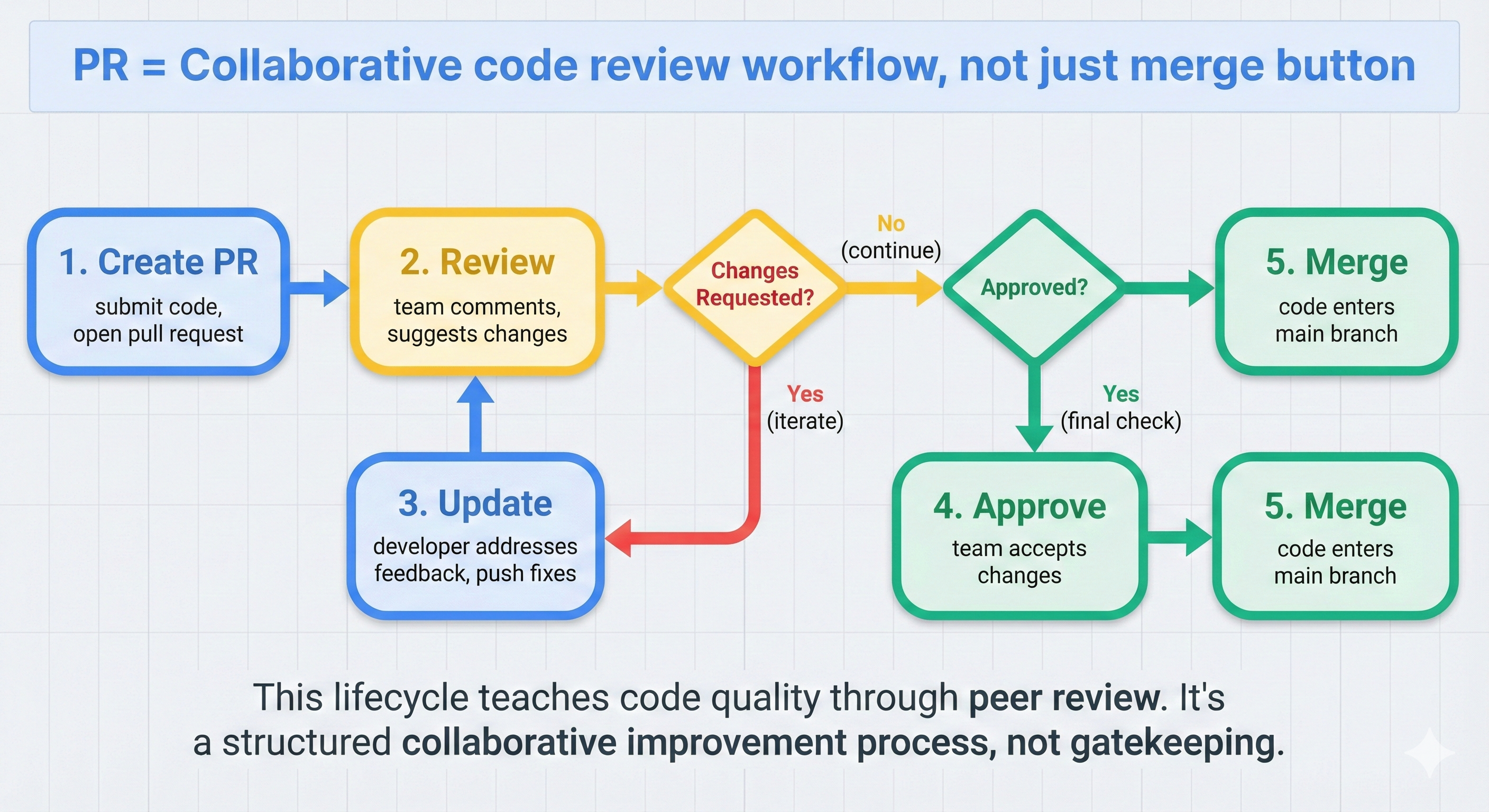
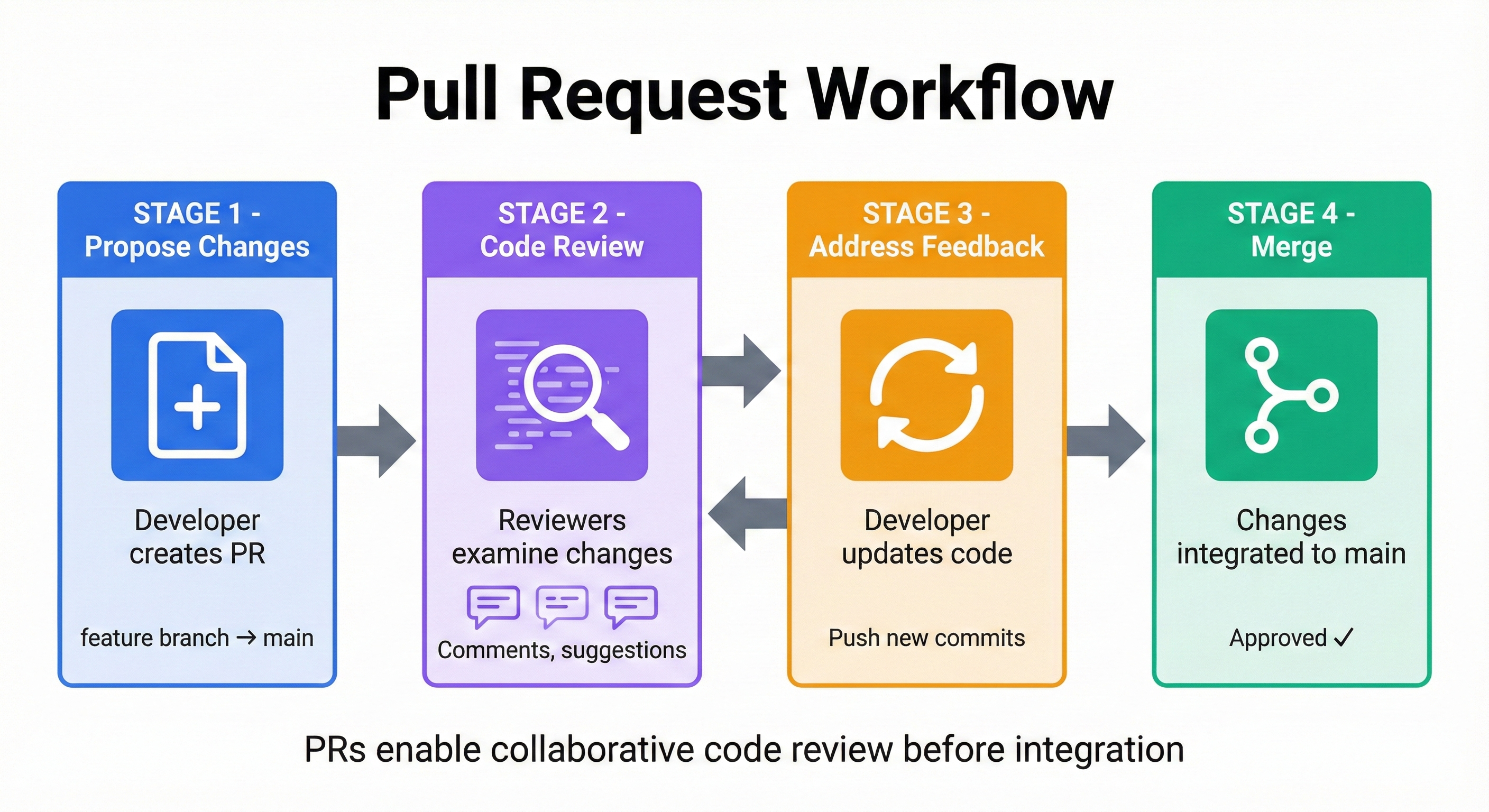
A Pull Request (PR) is a GitHub feature that lets you propose merging code from one branch into another (usually main). It's like saying: "Here are my changes. Please review them before merging."
The PR Workflow:
- You push feature branch to GitHub
- You create PR on GitHub (comparing feature branch → main)
- GitHub shows you a diff (what changed)
- You review changes and add description
- You merge PR when satisfied
Why PRs Matter for AI Development:
- Safety check: Gives you moment to evaluate AI-generated code before it affects main
- Documentation: Forces you to write WHY you made changes (and if AI helped)
- Portfolio practice: Shows employers you follow professional code review practices
Key Difference from Commits:
- Commits save snapshots locally (or pushed to GitHub)
- PRs formalize a review + merge decision (GitHub-specific feature)
Concept 1: Pull Request Creation
Let's create your first PR.
Setup: Feature Branch with Changes
Before creating a PR, you need:
- A feature branch with committed changes
- That branch pushed to GitHub
- Changes ready for review
If you haven't already: Create a feature branch from Lesson 4:
# On main branch (verify first)
git checkout main

# Create feature branch for new feature
git checkout -b feature/enhanced-calculator

# Make some changes to a file
# (Edit feature-description.txt or similar)

# Stage and commit changes
git add .
git commit -m "feat: add error handling to calculator"

# Push to GitHub
git push -u origin feature/enhanced-calculator
Creating PR on GitHub
Now create PR on GitHub's web interface (no terminal command—PR is GitHub-only feature).
Step 1: Navigate to Your Repository
- Go to github.com and open your repository
- You'll see: "feature/enhanced-calculator had recent pushes"
- Click "Compare & pull request" button
Step 2: Fill Out PR Form
GitHub shows a form with:
- Base branch:
main(target—where you're merging TO) - Compare branch:
feature/enhanced-calculator(source—what you're merging FROM) - Title: Brief description of what this PR does
- Description: Detailed explanation
Example PR Title:
feat: add error handling to calculator
Step 3: Add PR Description
This is where you explain your changes AND document AI assistance.
Concept 2: PR Description with AI Transparency
Your PR description is critical. It serves three purposes:
- Summary: What changed and why
- Testing: How to verify it works
- AI Attribution (NEW FOR AI-NATIVE DEV): Which AI helped, what it generated, what you modified
PR Description Template
Use this template for every PR:
## Summary
[Plain-language explanation of what this PR does]

## Changes
- [What file changed and why]
- [What file changed and why]

## AI Assistance
**AI Tool Used**: ChatGPT / Claude / Gemini / [your choice]

**What AI Generated**:
- Generated initial error handling structure
- Generated validation functions for inputs

**What I Modified**:
- Simplified error messages for clarity
- Added logging for debugging
- Tested edge cases AI missed

## Testing Done
- [How did you test this?]
- [Edge cases checked?]

## Screenshots (if applicable)
[Optional: show before/after if UI-related]
Example: Real PR with AI Transparency
Feature Branch: feature/enhanced-calculator
Changes: Added error handling to feature-description.txt
PR Description Example:
## Summary
Added error handling to calculator to prevent crashes on invalid input.

## Changes
- Updated feature-description.txt: added input validation before operations
- Added try/except blocks for division by zero

## AI Assistance
**AI Tool Used**: ChatGPT

**What AI Generated**:
- Initial try/except structure
- Input validation regex patterns
- Error message templates

**What I Modified**:
- Made error messages more user-friendly (not technical jargon)
- Added logging for debugging
- Tested with edge cases: negative numbers, decimals, text input
- Found bug where AI didn't handle empty input—fixed manually

## Testing Done
- Manual testing: positive numbers, negative numbers, decimals
- Edge case: division by zero → correctly caught and displayed error message
- Edge case: text input → correctly rejected with helpful message
Key Transparency Elements:
- ✅ Explicit AI tool named (ChatGPT)
- ✅ What AI generated listed
- ✅ What you modified listed
- ✅ Bug you found (AI didn't handle empty input) documented
🎓 Expert Insight
In AI-native development, transparency about AI assistance is professional practice. You don't memorize PR templates—you understand that documenting AI's role builds trust and helps reviewers evaluate code quality.
Why This Matters: Future employers/code reviewers will see you're transparent about AI usage. You don't hide it or overclaim credit. This builds trust.
Concept 3: Reviewing PR Diff
Before merging, always review the diff to verify changes are correct.
Understanding the Diff View
On GitHub PR page, click "Files Changed" tab. You'll see:
- Old line (what was removed)        [red background]
+ New line (what was added)          [green background]
  Unchanged line                      [no color]
What to Look For
When reviewing a diff, ask these questions:
-
Does it match the intent?
- "I wanted error handling... yes, I see try/except blocks"
-
Are there bugs?
- Off-by-one errors in loops?
- Missing edge cases?
- Typos in variable names?
-
Is there AI code I don't understand?
- Test it manually or ask AI to explain
- Don't merge code you don't understand
-
Are there security issues?
- Hardcoded passwords? (No!)
- SQL injection vulnerabilities? (No!)
- For A2-level: basic checks are fine—don't worry about advanced security yet
Example Diff Review
@@ -15,6 +15,18 @@ def add(a, b):
 def divide(a, b):
-    return a / b
+    if b == 0:
+        raise ValueError("Cannot divide by zero")
+    return a / b
+
+def validate_input(value):
+    """Check if input is valid number."""
+    try:
+        float(value)
+        return True
+    except ValueError:
+        return False
Your Thoughts:
- ✅ "I can see division by zero check—good"
- ✅ "New validate_input function—makes sense for error handling"
- ✅ "Code is clear, I understand what it does"
- ✅ "Ready to merge"
💬 AI Colearning Prompt
"Explain what I should look for when reviewing a code diff in a pull request. What are common mistakes AI-generated code might have that I should catch?"
🤝 Practice Exercise
Ask your AI: "I'm creating a pull request for code you helped me generate. Show me how to write a transparent PR description that includes what you generated, what I modified, and what edge cases I tested. Then explain why this transparency matters for code reviews."
Expected Outcome: You'll understand that PR descriptions should document the collaboration process, not just the final result.
Try With AI
Let's practice creating professional pull requests that communicate your work clearly.
🔍 Review Your PR Description:
"I wrote this PR description for my GitHub pull request. Review it for clarity and suggest improvements: [Copy your PR description here]. Focus on: missing context, unclear explanations, lack of testing details, and anything that would confuse a reviewer."
🎯 Generate Professional PR Content:
"I'm creating a pull request where I added error handling to my calculator app with help from AI. Write a professional PR title and bullet-point description that: explains what changed, why it changed, how to test it, and acknowledges AI assistance appropriately."
🧪 Practice Self-Review:
"Before submitting my PR, walk me through a self-review checklist. What should I check: in the code diff, in the PR description, in my commit messages, and in my test coverage? Help me catch issues before reviewers see them."
🚀 Prepare for Code Review:
"I'm about to submit my first PR for review. Help me prepare: What questions might reviewers ask? How should I respond to feedback? What if they suggest changes I disagree with? Give me a framework for productive code review conversations." that documents:
- What the feature does
- What ChatGPT generated
- What I tested and modified
**Expected Outcome**: AI generates examples of professional transparency language. Use these as templates.

---

**Prompt 3 (Advanced - AI reviews your code diffs)**:
Here's the code diff from my pull request (changes to feature-description.txt):
[Paste your diff here]
Can you:
- Summarize what changed
- Identify any bugs or edge cases
- Suggest improvements
**Expected Outcome**: AI acts like a code reviewer—catches issues you missed, suggests improvements.