1.4 Continuity, execution and persistence
- Approved by
- Panaversity ·
In everyday life. Your family doctor is the same doctor for years, even though each visit happens in a different exam room. Your records are kept in a file the office can pull up any time. The doctor, the room and the file are three different things.
Products mix together three ideas that a manager must keep apart.
- Worker continuity is what makes a worker the same worker over time: its identity, its responsibilities, the context it keeps, and the recurring work it does.
- The execution environment is where one piece of work runs. It is often temporary.
- Artifact persistence is where results are saved, and how you get them back.
Each of the three can change without the other two. A standing worker does not need one computer to keep running forever. A temporary machine does not mean the worker forgets who it is. And a finished spreadsheet on a machine is not a saved spreadsheet until it is saved in a place where you can get it back.

Figure 1.3. Continuity, execution and persistence vary independently.
The third idea, artifact persistence, depends on where things are kept. One piece of work can touch three places:
| Place | What lives there | How long it lasts |
|---|---|---|
| Your account or workspace | Transcripts, delivered outputs, documents, projects, schedules, memory | Durable. Some of it is personal, some is shared by your organization |
| The execution environment | Working files, installed tools, work in progress | Often temporary. Check each product |
| Your own computer | Your folders, browser sessions and apps | As long as you keep them. Cloud work reaches them only through a desktop app, with your permission |
Work that needs files on your own computer reaches them only through a desktop app that is open on that computer.
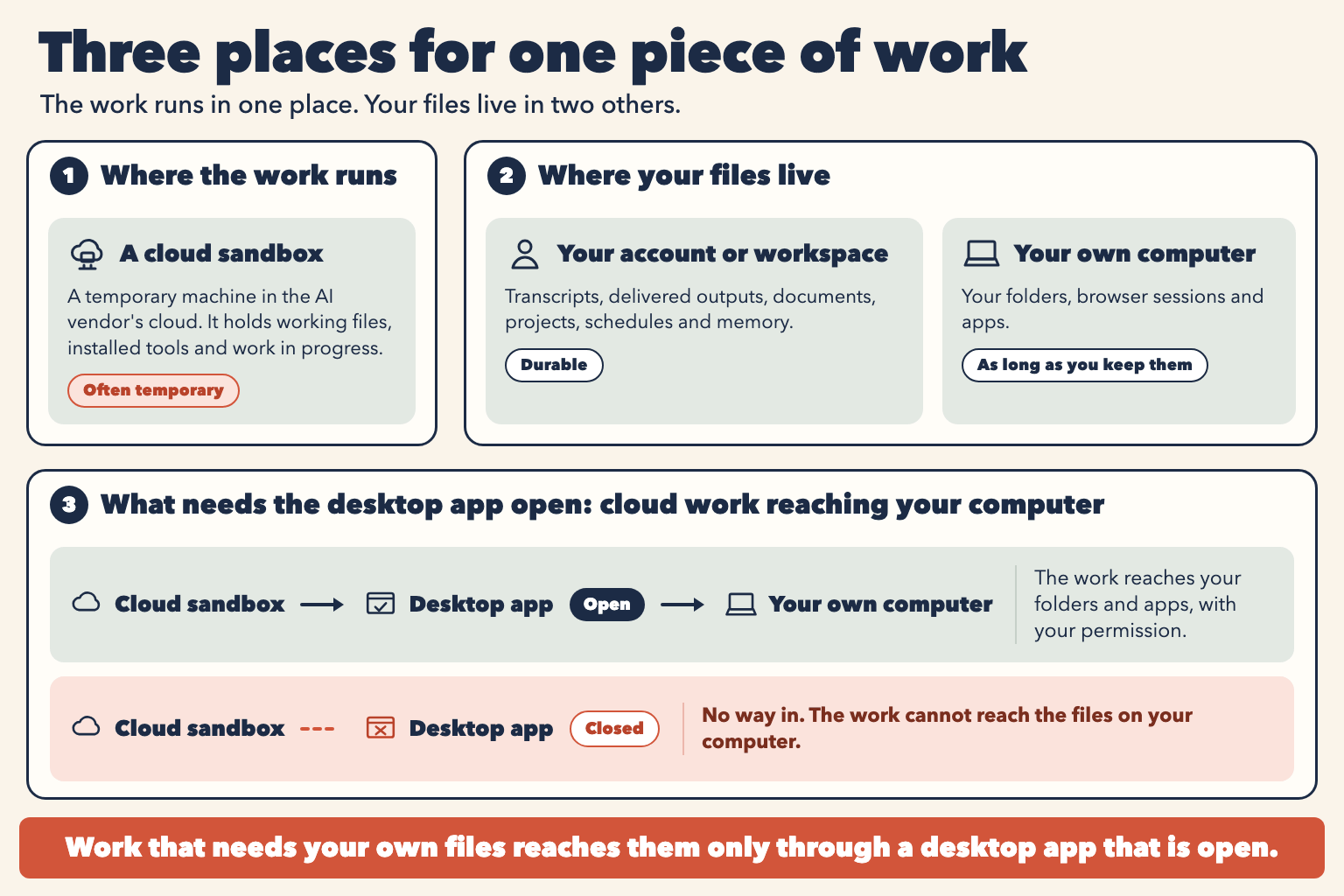
Figure 1.4. Where the work runs, where your files live, and what needs the desktop app open.
The practical rule is short. Save anything you need later to a known place, and check that you can get it back. Know that place's retention and access rules. Maria's spreadsheet, in the chapter's opening story, failed this rule. Her summary survived because it was part of the conversation.
There is a second, deeper point. Durable is not the same as authoritative. Personal memory belongs to one login. A shared project belongs to a team. Neither is your company's official record of policy, and neither is the live state of the ledger. Chapter 4 adds three layers for that. KSoR (Knowledge System of Record) governs what an AI Worker may know. DSoR (Data System of Record) governs what it may do. SSoR (State System of Record) tracks where the work stands. These three names are this book's own terms, from open Panaversity specifications, and exam questions use plainer words for them: approved knowledge, permitted actions and where the work stands.
Check yourself
Question 1 / 8
0 answered
Which of these is durable account state?
- Owner
- Panaversity