Foundations: Start in the Browser
Foundations for what? For everything you do with AI after this. Soon the book splits into two paths: using AI to do your own work faster, and building AI Workers that do that work for you, again and again. Both start from the same place. These ten courses are that place, the skills every reader needs before picking a path. Do them once, here, and everything later builds on them.
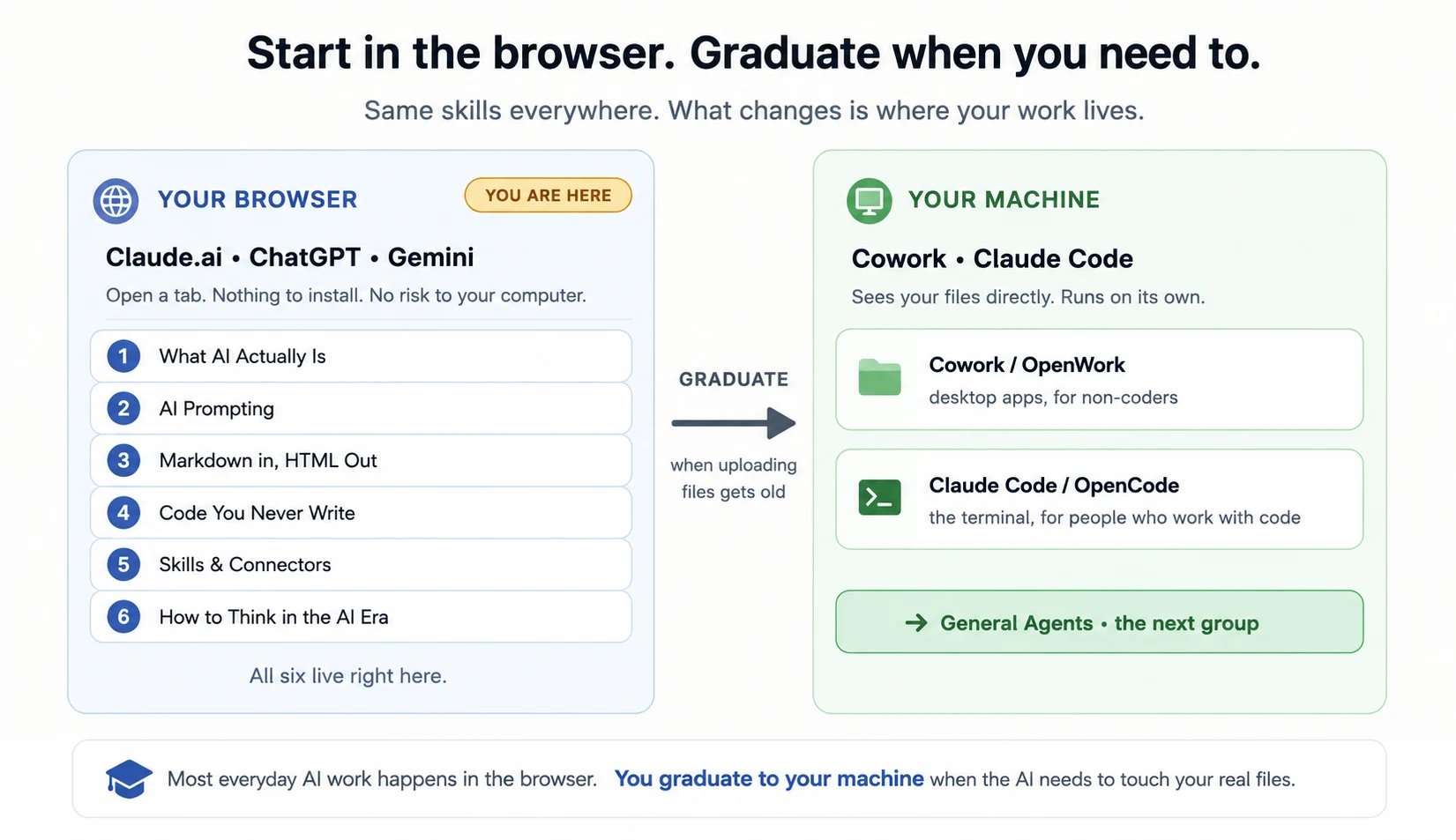
You learn all ten right in a browser tab. Open Claude.ai, ChatGPT, or Gemini, type what you want, and get work back. Nothing to install, and no risk to your own computer. If you can use a website, you can do all ten, and that same browser tab is where most of your real AI work will happen.
The ten build on each other:
-
Just Delegate It — hand AI one job of your own, eleven times, each time with one more line of a written brief, and check every result before you accept it. Ends with a one-page Delegation Record. The one habit every course after this assumes.
-
What AI Actually Is — what the machine really is under the hood, so its surprises stop looking like magic or malfunction.
-
AI Fluency (The 4Ds) — the four habits that decide whether AI helps you: what to hand it, what to tell it, how to judge what comes back, and who owns the result.
-
AI Prompting — how to ask, so you get what you actually wanted.
-
Markdown In, HTML Out — the two simple document languages every agent speaks.
-
Code You Never Write — get AI to write, run, and check code for you, even if you have never coded.
-
Skills & Connectors — teach AI a task once and give it safe access to your real apps and data. These plugins are portable: what you make here travels with you to every tool you use later, from this browser to desktop agents to the workers you may one day build.
-
How to Think in the AI Era — when to reach for AI, when not to, and how to frame the problem. This is the judgment you keep using long after the other nine become second nature.
-
Workflow Design & Diagnosis — the step from "I use AI" to "our workflow uses AI." Write a real workflow out step by step and decide who owns each step, using three questions and only three: can it be undone, what does an error cost, and who is answerable. Then what to do when the work starts going wrong, which is a diagnosis rather than a guess, and how to say what the workflow actually does without overstating it. Ends with a one-page map somebody else could run.
-
Governance, Risk & Responsible Use — four questions to run before AI does real work: can AI do this task, can this data go in, can I turn this tool on, and could this affect someone unfairly. The course that makes the other nine safe to use at your job, and it ends with a one-page record you fill in for a workflow you own.
When a job needs a control you have not met yet, such as a project, memory, or a research mode, the ChatGPT & Claude Quick Reference shows where it lives in both assistants. It is a reference, not a course. Read it when you need it.
When uploading your files into the chat every time starts to feel slow, that is your signal you are ready for the next step: agents that live on your own computer and can see your files directly. That is the next group, General Agents.
The book's path in one line: Foundations to understand, General Agents to drive, then the two paths — solving a problem once, or building a worker that solves it forever — to put AI to work.