Axiom III: Programs Over Scripts
Axiom II asked where knowledge should live. James learned the answer the hard way: two weeks of work discarded because a decision lived in Slack instead of markdown. After that, he became the team's most disciplined documentation writer. Every decision got an ADR. Every convention went into CLAUDE.md. Knowledge problem solved. Now Axiom II left a different question hanging: when you ask an AI agent to build something, should it produce a quick script or a proper program?
Emma answered that question by asking James to write a script.
The team needed a utility to normalize image filenames before uploading them to the CDN: lowercase, no spaces, no special characters. Fifteen lines of Python. James wrote it in twenty minutes: a for loop over os.listdir, a regex substitution, an os.rename. It worked. He committed it as rename_images.py and moved on.
Three months later, the marketing team adopted the script for their asset pipeline. Then the design team. Then the client services team started running it on deliverables. Nobody told James. Nobody asked permission. The script just spread, because it worked, and because working code attracts dependencies the way a lit window attracts moths.
On a Friday afternoon, the client services team ran the script on a folder of 2,000 files for a product launch. The script encountered a filename with a Unicode em-dash, crashed on file 847, and left the folder in a state where 846 files had been renamed and 1,154 had not. There were no logs to show which files had been processed. There was no --dry-run flag to preview changes. There was no error handling to skip the problem file and continue. There were no tests that would have caught the Unicode edge case before it reached production. The team spent the weekend manually sorting 2,000 files, matching renamed versions to originals using file timestamps and sizes.
James stared at his fifteen lines of code (no tests, no error handling, no logging, no dry-run flag) and realized three teams depended on it every day. The code had not changed. The responsibility around it had.
Three weeks in, and James had fixed a deployment pipeline, organized the team's decisions into markdown, and now faced the consequences of a quick script that outgrew its purpose.
The Problem Without This Axiom
James's fifteen-line script did not announce its promotion to production infrastructure. No one sent an email saying "this utility is now load-bearing code for three teams." It happened one convenience at a time: someone copied the script, someone else added it to a Makefile target, someone scheduled it in a cron job. By the time it failed, it had accumulated responsibilities it was never built to carry.
This pattern is universal. Without the discipline that separates scripts from programs, every team accumulates a graveyard of fragile utilities:
- A data processing script runs in production for months. One day the input format changes slightly. The script crashes at 2am with no error message beyond
KeyError: 'timestamp'. Nobody knows what it expected or why, because there are no type annotations to declare the expected input shape. - An AI agent generates a utility function. It works for the test case. Three weeks later, it fails on edge cases the AI never considered. There are no tests to reveal this and no type annotations to show what the function actually accepts.
- A deployment script uses hardcoded paths. It works on the author's machine. On the CI server, it fails silently and deploys a broken build, because nobody added the validation that a program demands.
The root cause is the same every time: code that grew beyond script-level complexity while retaining script-level discipline. The code did not change. The expectations around it changed. And nobody upgraded the discipline to match.
The Axiom Defined
Axiom III: Production work requires proper programs, not ad-hoc scripts. Programs have types, tests, error handling, and CI integration. Scripts are for exploration; programs are for shipping.
This axiom draws a clear line: scripts serve exploration and experimentation; programs serve reliability and collaboration. Both are valuable. The failure mode is not writing scripts. The failure mode is shipping scripts as if they were programs.
From Principle to Axiom
In Chapter 18, you learned Principle 2: Code as Universal Interface, the idea that code solves problems precisely where prose fails. You saw this concretely when Sarah had 3,000 photos scattered across three folders with meaningless names like IMG_4521.jpg. She described exactly what she wanted (photos organized by country and city based on location data, with dates in filenames, duplicates removed) and the agent wrote code that handled all 3,000 perfectly. The more specific the description, the better the code.
Axiom III builds on that foundation: if code is your universal interface, then the quality of that code determines the reliability of your interface. Chapter 18 showed that specific descriptions produce better code than vague ones. This axiom shows that disciplined code beats sloppy code, and that the gap between the two is the gap between James's 15-line script and the program that would have handled the Unicode crash.
| Principle 2 (Chapter 18) | Axiom III (this lesson) |
|---|---|
| Use code instead of prose | Make that code worthy of what it solves |
| Code is the right medium | Types, tests, and error handling are the right discipline |
| A specific description produces precise code | Typed, tested code produces reliable results |
| Chose the interface | Hardened the interface |
The Script-to-Program Continuum
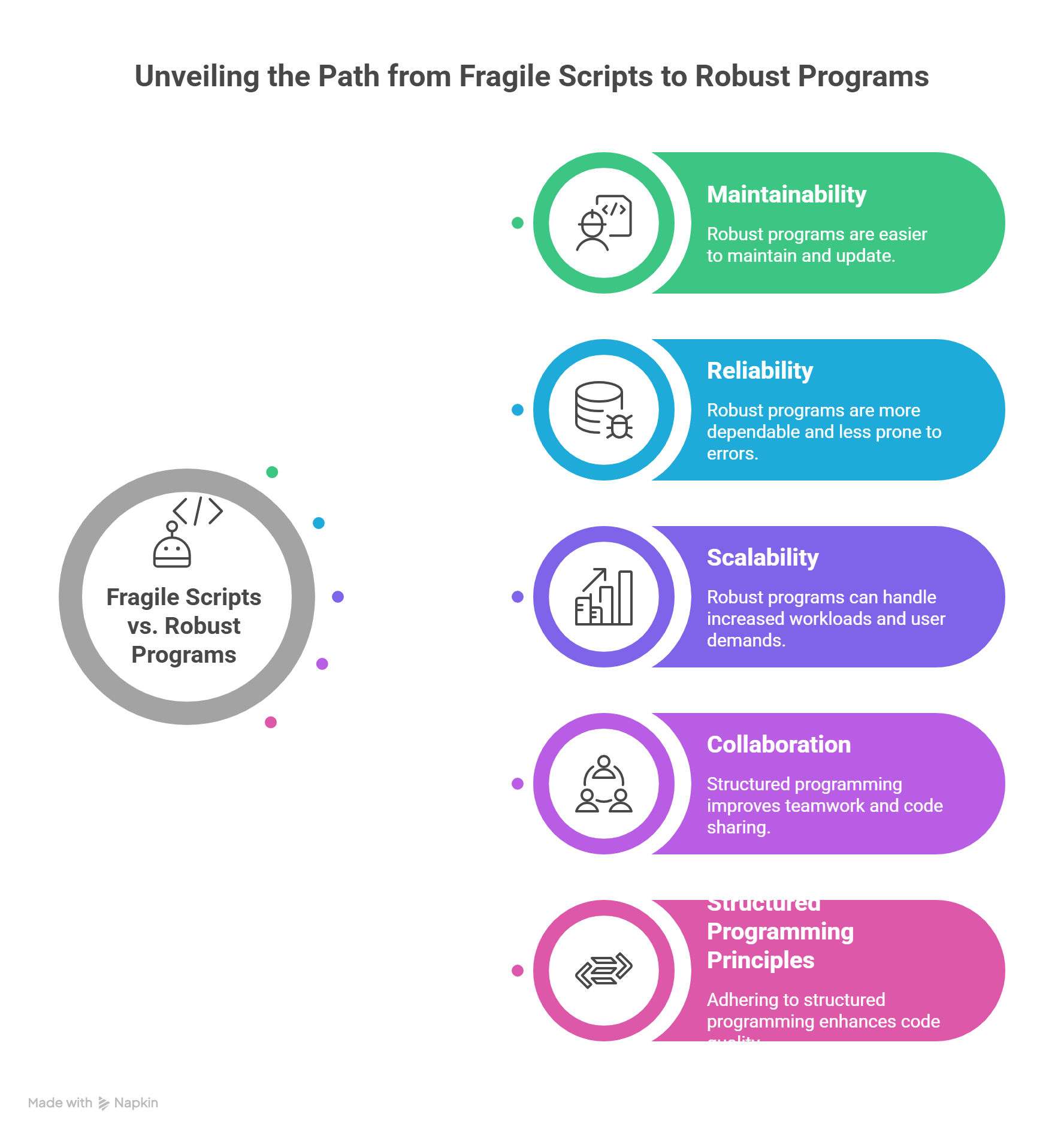
James's mistake was not writing a script. His mistake was not recognizing when the script stopped being a script. Scripts and programs are not binary categories; they exist on a continuum, and code naturally moves along it as its responsibilities grow. The key is recognizing when your code has moved far enough that script-level practices become dangerous.
| Dimension | Script | Program |
|---|---|---|
| Purpose | Explore, prototype, one-off task | Reliable, repeatable, shared |
| Type annotations | None or minimal | Complete on all public interfaces |
| Error handling | Bare except or crash-and-fix | Specific exceptions with recovery |
| Tests | Manual verification ("it printed the right thing") | Automated test suite (pytest) |
| CLI interface | Hardcoded values, sys.argv[1] | Typed CLI (typer/click/argparse) |
| Dependencies | pip install globally | Locked in pyproject.toml (uv) |
| Configuration | Magic strings in source | Typed config objects or env vars |
| Documentation | Comments (maybe) | Docstrings, README, usage examples |
| CI/CD | None | Linted, type-checked, tested on every push |
When Does a Script Become a Program?
A script should become a program when any of these conditions become true:
- Someone else will run it. If another human (or an automated system) depends on your code, it needs to communicate its expectations through types and handle failures gracefully.
- It will run more than once. One-off scripts can crash and you re-run them with a fix. Repeated execution requires reliability.
- It processes important data. If the input or output matters (client files, financial records, deployment artifacts), silent failures are unacceptable.
- It grew beyond 50 lines. This is not a strict threshold, but complexity compounds. Beyond 50 lines, you cannot hold the full logic in your head while debugging.
- An AI generated it. AI-generated code deserves extra scrutiny because you did not write it line-by-line. Types and tests become your verification layer.
Historical Background: Why Python Added Types (click to expand)
The "Type annotations" row in the continuum table above reflects a fundamental shift in Python's history. For decades, Python existed as a dynamically typed language. Guido van Rossum designed it for readability and rapid prototyping, deliberately leaving out static types. Python thrived. It also accumulated a reputation: Python was where scripts became programs by accident, and where bugs hid until runtime because nothing checked your assumptions before execution.
The turning point came in 2014, when Guido van Rossum (Python's creator himself) co-authored PEP 484, introducing optional type hints to the language. This was not a concession; it was a recognition that Python had grown beyond scripting. Millions of lines of Python were running in production at Dropbox, Instagram, Google, and Netflix. At that scale, "run it and see if it crashes" was no longer an engineering strategy. Type hints let developers declare their intentions (def process(data: list[Record]) -> Summary) and let tools like pyright verify those intentions before a single line executed.
Python's journey from untyped scripting language to gradually typed systems language mirrors exactly what Axiom III teaches. The same forces that pushed Python toward types (growing codebases, production reliability, collaboration across teams) push every script toward program discipline once the stakes become real.
A Script Becomes a Program: James's Fifteen Lines
Here is what James originally wrote: the script that three teams came to depend on.
You will learn Python later in Part 4. For now, compare the length and structure of these two versions, not the syntax. Notice what the script is missing (error handling, tests, types) and what the program adds. The difference between a script and a program is the lesson, not the language.
# rename_images.py (SCRIPT version)
import os, re

folder = "/Users/james/photos"
for f in os.listdir(folder):
    if f.endswith(".jpg"):
        new_name = re.sub(r'\s+', '_', f.lower())
        os.rename(os.path.join(folder, f), os.path.join(folder, new_name))
        print(f"Renamed: {f} -> {new_name}")
Renamed: My Vacation Photo.jpg -> my_vacation_photo.jpg
Renamed: Beach Day 2024.jpg -> beach_day_2024.jpg
Renamed: IMG 4521.jpg -> img_4521.jpg
...
Traceback (most recent call last):
  File "rename_images.py", line 8, in <module>
    os.rename(os.path.join(folder, f), os.path.join(folder, new_name))
PermissionError: [Errno 13] Permission denied: '/Users/james/photos/Beach Day 2024.jpg'
Fifteen lines, no error handling, no way to preview changes, no protection against overwriting existing files, hardcoded paths. When it hits a file it cannot touch (this one was open in another program), it crashes mid-operation and leaves the folder half-renamed. This is the code that ruined a client team's weekend.
After the incident, James pushed back. "The script worked perfectly for three months. The problem was one edge case: a file that happened to be open in another program. I'll add a try/except and it'll be fine."
"Fix that crash," Emma said. "Then tell me what happens when someone runs it on a folder where a target filename already exists."
James thought about it. The script would silently overwrite the file. He had no way to know it happened (no logging). No way to preview what would happen (no dry-run flag). No way to test for these cases (no tests). The locked file was not the problem. The problem was that fifteen lines of code had zero protection against any of the hundred things that could go wrong.
"It's not one bug," James said. "The script has no discipline. One bug surfaced, but the lack of error handling, logging, preview, and tests means the next bug is already waiting."
Emma sat down with James and walked through the transformation. The program version is longer (necessarily so), but every additional line exists to prevent a specific category of failure:
# src/image_renamer/cli.py (PROGRAM version)
"""Batch rename image files with safe, reversible operations."""
from pathlib import Path
from dataclasses import dataclass
import re, logging, typer

app = typer.Typer(help="Safely rename image files in a directory.")
logger = logging.getLogger(__name__)

@dataclass
class RenameOperation:
    source: Path
    destination: Path

    @property
    def would_overwrite(self) -> bool:
        return self.destination.exists()

def normalize_filename(name: str) -> str:                    # ← Types declare intent
    normalized = re.sub(r'\s+', '_', name.lower())
    return re.sub(r'[^\w\-.]', '', normalized)

def plan_renames(                                            # ← Separate planning from execution
    folder: Path, extensions: tuple[str, ...] = (".jpg", ".png")
) -> list[RenameOperation]:
    if not folder.exists():
        raise FileNotFoundError(f"Directory not found: {folder}")  # ← Specific exceptions
    return [
        RenameOperation(source=fp, destination=fp.parent / f"{normalize_filename(fp.stem)}{fp.suffix.lower()}")
        for fp in sorted(folder.iterdir())
        if fp.suffix.lower() in extensions
        and fp.parent / f"{normalize_filename(fp.stem)}{fp.suffix.lower()}" != fp
    ]

@app.command()
def rename(
    folder: Path = typer.Argument(..., help="Directory containing images"),
    dry_run: bool = typer.Option(False, "--dry-run", "-n", help="Preview without renaming"),
) -> None:
    """Rename image files to normalized lowercase with underscores."""
    logging.basicConfig(level=logging.INFO, format="%(levelname)s: %(message)s")
    operations = plan_renames(folder)
    for op in operations:
        if op.would_overwrite:                               # ← Overwrite protection
            logger.warning("Skipping %s: would overwrite", op.source.name)
        elif dry_run:                                        # ← Preview mode
            logger.info("[DRY RUN] %s -> %s", op.source.name, op.destination.name)
        else:
            try:
                op.source.rename(op.destination)
                logger.info("Renamed: %s -> %s", op.source.name, op.destination.name)
            except OSError as e:                             # ← Graceful failure
                logger.error("Failed: %s - %s", op.source.name, e)
And the tests that would have caught the Unicode crash before it reached production:
# tests/test_renamer.py
from pathlib import Path
from image_renamer.cli import normalize_filename, plan_renames

def test_normalize_removes_spaces() -> None:
    assert normalize_filename("My Photo Name") == "my_photo_name"

def test_normalize_handles_unicode_dashes() -> None:         # ← The test that was missing
    assert normalize_filename("file\u2014name") == "filename"

def test_plan_renames_raises_on_missing_directory() -> None:
    import pytest
    with pytest.raises(FileNotFoundError):
        plan_renames(Path("/nonexistent/path"))
$ pytest tests/test_renamer.py -v
tests/test_renamer.py::test_normalize_removes_spaces PASSED
tests/test_renamer.py::test_normalize_handles_unicode_dashes PASSED
tests/test_renamer.py::test_plan_renames_raises_on_missing_directory PASSED

========================= 3 passed in 0.02s =========================
The key differences between James's script and the program are not cosmetic. Each one prevents a specific class of failure:
| Aspect | Script | Program |
|---|---|---|
| Errors | Crashes on missing folder | Raises specific exceptions with context |
| Safety | Can overwrite files | Checks for conflicts, skips with warning |
| Preview | No way to see what will happen | --dry-run flag shows planned changes |
| Types | None | Full annotations on all functions |
| Testing | "I ran it and it looked right" | Automated tests covering normal and edge cases |
| Interface | Edit source code to change folder | CLI with --help, arguments, options |
| Logging | print() | Structured logging with levels |
The Python Discipline Stack
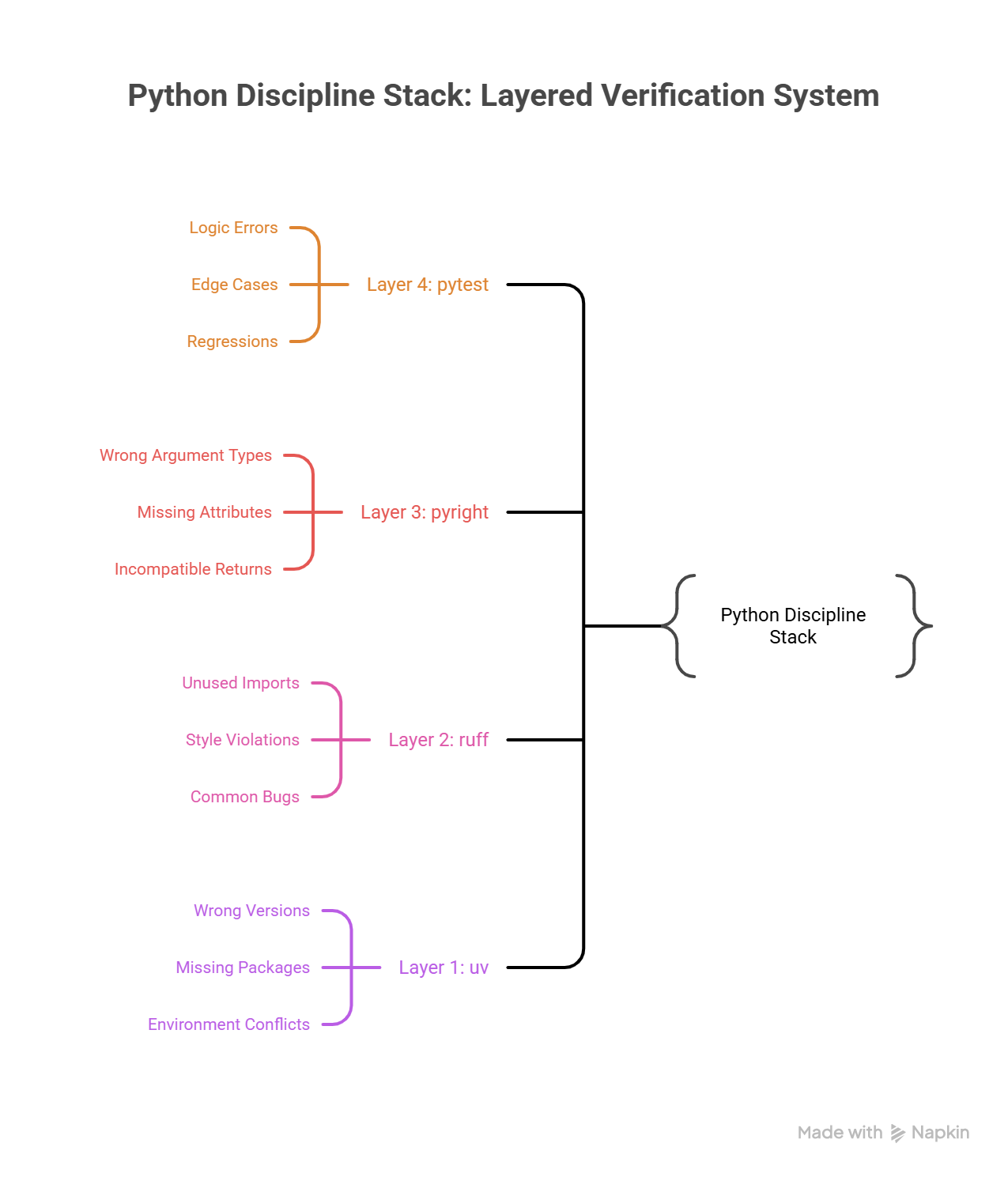
After the Friday incident, Emma set up the team's repository with what she called "the four walls": four tools that together make it nearly impossible for a script-level mistake to reach production. Python is flexible enough to be used as both a scripting language and a systems programming language. The discipline stack is what transforms it from "quick and loose" into "verified and reliable."
| Tool | Role | What It Catches |
|---|---|---|
| uv | Dependency management | Wrong versions, missing packages, environment conflicts |
| pyright | Static type checker | Wrong argument types, missing attributes, incompatible returns |
| ruff | Linter and formatter | Unused imports, style violations, common bugs, inconsistent formatting |
| pytest | Test runner | Logic errors, edge cases, regressions after changes |
These tools form layers of verification, each catching a different class of defect:
Layer 4: pytest     → Does the logic produce correct results?
Layer 3: pyright    → Do the types align across function boundaries?
Layer 2: ruff       → Does the code follow consistent patterns?
Layer 1: uv         → Are the dependencies resolved and reproducible?
How They Work Together
The pyproject.toml below is a configuration file that tells the tools what settings to use. You do not need to memorize TOML syntax. Notice the pattern: one file configures your project name, Python version, linting rules, and test paths. You will create your own pyproject.toml in hands-on chapters.
A minimal pyproject.toml that activates the full stack:
[project]
name = "image-renamer"
version = "0.1.0"
requires-python = ">=3.12"
dependencies = ["typer>=0.9.0"]

[project.scripts]
image-renamer = "image_renamer.cli:app"

[tool.pyright]
pythonVersion = "3.12"
typeCheckingMode = "standard"

[tool.ruff]
target-version = "py312"
line-length = 100

[tool.ruff.lint]
select = ["E", "F", "I", "UP", "B", "SIM"]

[tool.pytest.ini_options]
testpaths = ["tests"]
You used bash commands in Chapter 22: Linux Operations back in Part 2. The commands below (uv sync, uv run pyright, etc.) follow the same pattern: type a command, read the output. If you skipped Chapter 22 or need a refresher, revisit it before continuing.
Running the full stack:
# Install dependencies in an isolated environment
uv sync

# Check types (catches mismatched arguments, wrong return types)
uv run pyright src/

# Lint and format (catches style issues, common bugs)
uv run ruff check src/ tests/
uv run ruff format src/ tests/

# Run tests (catches logic errors)
uv run pytest
$ uv sync
Resolved 12 packages in 1.2s
Installed 4 packages in 0.3s

$ uv run pyright src/
0 errors, 0 warnings, 0 informations

$ uv run ruff check src/ tests/
All checks passed!

$ uv run ruff format src/ tests/
2 files left unchanged

$ uv run pytest
========================= 3 passed in 0.04s =========================
Each tool catches problems the others miss. Pyright will not tell you that your rename logic is wrong (that requires tests). Pytest will not tell you that you are passing a str where a Path is expected (that requires pyright). Ruff will not tell you either of those things, but it will catch the unused import and the inconsistent formatting that make code harder to read and maintain.
Why AI-Generated Code Requires Program Discipline
James's script was written by a human who understood the problem; he just did not apply the discipline the problem eventually demanded. AI-generated code introduces a sharper version of the same risk. When you write code yourself, you build a mental model of how it works as you type each line. You know the assumptions, the edge cases you considered, and the shortcuts you took deliberately. AI-generated code arrives fully formed with no trace of the reasoning behind it. You receive the output without the thought process.
This creates three specific risks that program discipline addresses:
1. Types Catch Hallucinated APIs
AI models sometimes generate code that calls functions or methods that do not exist, or passes arguments in the wrong order. Type checking catches this immediately:
# AI generated this -- looks reasonable
from pathlib import Path

def process_files(directory: str) -> list[str]:
    path = Path(directory)
    return path.list_files()  # pyright error: "Path" has no attribute "list_files"
$ uv run pyright src/process.py
src/process.py:6:17 - error: Cannot access attribute "list_files" for class "Path"
  Attribute "list_files" is unknown (reportAttributeAccessIssue)
1 error, 0 warnings, 0 informations
Without pyright, this code would crash at runtime when a user first triggers that code path (possibly in production, possibly weeks later). With pyright, you catch it before you ever run the code.
2. Tests Prevent Drift
AI does not remember previous sessions. Each time you ask it to modify code, it works from the current file content without understanding the history of decisions that shaped it. Tests encode your expectations permanently:
def test_normalize_preserves_hyphens() -> None:
    """This test exists because a previous AI edit removed hyphens.
    Hyphens are valid in filenames and should be preserved."""
    assert normalize_filename("my-photo-name") == "my-photo-name"
When a future AI edit accidentally changes normalize_filename to strip hyphens, this test fails immediately. The test is your memory; the AI has none.
3. CI Enforces Standards Across Sessions
You might forget to run pyright before committing. The AI certainly will not remind you. CI (Continuous Integration) enforces the discipline stack on every push, regardless of who or what wrote the code:
The YAML below defines an automated pipeline that runs on every code push. You do not need to understand YAML syntax or GitHub Actions yet. Notice the concept: every push triggers the same four checks (install, type check, lint, test) automatically. You will set up your own CI pipeline in hands-on chapters.
# .github/workflows/check.yml
name: Verify
on: [push, pull_request]

jobs:
  check:
    runs-on: ubuntu-latest
    steps:
      - uses: actions/checkout@v4
      - uses: astral-sh/setup-uv@v4
      - run: uv sync
      - run: uv run pyright src/
      - run: uv run ruff check .
      - run: uv run pytest
This pipeline does not care whether a human or an AI wrote the code; it applies the same standards to both. Code that fails any check does not merge. This is your safety net against AI-generated code that looks correct but contains subtle issues.
Anti-Patterns: Scripts Masquerading as Programs
Every company has a Script That Became Infrastructure. It is the Jupyter notebook that a data scientist wrote to clean up a CSV file (now running every Monday as part of the billing pipeline, with a comment that says # TODO: handle empty dates that has been there for fourteen months). It is the payment processing script from a hackathon: forty lines, no tests, a bare except on line 23 that silently swallows every error, including the one where a customer gets charged ten times the correct amount.
These scripts run until they don't. And when they fail, they fail in ways that no one can diagnose, because there are no types to read, no tests to run, and no error messages to follow.
| Anti-Pattern | Why It Fails | Program Alternative |
|---|---|---|
| Jupyter notebooks as production code | No tests, no types, cell execution order matters, hidden state between cells | Extract logic into modules, test independently |
| No type hints on functions | Callers cannot verify they are passing the right data; AI cannot validate its own output | Add type annotations: def process(data: list[Record]) -> Summary: |
Bare except Exception: | Hides real errors, makes debugging impossible | Catch specific exceptions: except FileNotFoundError: |
| Hardcoded values in source code | Breaks in any environment besides your machine | Use environment variables or typed configuration |
| "It's too simple to test" | Simple code becomes complex code; tests document expected behavior | Even one test proves the function works and prevents regressions |
The "Too Simple to Test" Trap
This anti-pattern deserves special attention because it sounds reasonable. A function that adds two numbers does not need a test, but production code is never that simple for long. The function that "just renames files" eventually needs to handle Unicode filenames, skip hidden files, preserve file permissions, and log operations. Each addition is "too simple to test" individually, but together they create untested complexity.
The cost of adding a test is low. The cost of debugging production failures in untested code is high. Write the test.
The Decision Framework
Had James asked himself five questions before committing rename_images.py, the Friday incident would never have happened. These questions form a simple decision framework: a checklist that tells you whether your code has moved past the script boundary.
1. Will this code run more than once?
   YES → It needs tests.

2. Will someone else read or run this code?
   YES → It needs types and docstrings.

3. Does this code handle external input (files, APIs, user input)?
   YES → It needs specific error handling.

4. Will this code run in CI or production?
   YES → It needs all of the above, plus packaging (pyproject.toml).

5. Did an AI generate this code?
   YES → Apply extra scrutiny. Run pyright. Add tests for edge cases
         the AI may not have considered.
If you answered YES to any question, your code has moved past the script boundary. Apply program discipline proportional to the number of YES answers.
Try With AI
Prompt 1: Script-to-Program Transformation
I want to understand the difference between a "script" and a "program."

Take this everyday example: someone writes quick instructions for watering
their plants ("water all plants Tuesday and Friday"). That is a script.

Now help me transform it into a "program" by adding:
1. Specific conditions: what if a plant needs water daily? What if it is winter?
2. Error handling: what if you are away for a week? What if a plant dies?
3. A checklist to verify: how do you know the watering actually worked?
4. Documentation: could someone else follow these instructions without calling you?

Then explain: what is the equivalent of each of these in software?
(conditions = types, error handling = exceptions, checklist = tests,
documentation = docstrings). Walk me through the parallels.
What you're learning: The conceptual transformation from informal instructions to reliable processes. Each addition you make to the plant-watering "script" maps directly to a program discipline: types declare expectations, error handling manages surprises, tests verify correctness, and documentation enables collaboration. You will apply these disciplines to real Python code in the hands-on chapters.
Prompt 2: Spot the Missing Discipline
Here is a real-world scenario. A student creates a shared spreadsheet to track
club membership dues. It works great, until these things happen:

1. Someone types "twenty dollars" instead of "20" in the amount column
2. A new treasurer takes over and does not know which columns are required
3. The spreadsheet is accidentally sorted, and payment dates no longer match members
4. Three months of data disappears because someone deleted rows by mistake

For each failure, identify which "program discipline" is missing:
- Types (labeling what kind of data each column accepts)
- Error handling (what happens when someone enters the wrong thing)
- Tests (how do you verify the spreadsheet is still correct)
- Version control (how do you recover from mistakes)

Then explain: how would James's image renaming script from this lesson
have the same four categories of failure?
What you're learning: Recognizing missing program discipline in systems you already use. A spreadsheet without column types is like code without type annotations; both accept bad input silently. By mapping failures to discipline categories, you build the evaluation skill needed to audit any system, including AI-generated code.
Prompt 3: The Decision Framework in Your Life
I learned about the "script-to-program" decision framework with 5 questions:
1. Will it run more than once?
2. Will someone else use it?
3. Does it handle important data?
4. Will it run in an automated system?
5. Did an AI generate it?

Help me apply this framework to three examples from everyday life:
- A recipe I cook regularly for family dinners
- Directions I text to a friend visiting my house for the first time
- A budget spreadsheet I use to track monthly expenses

For each one, walk through all 5 questions. Based on the answers,
is it a "script" (casual, just for me) or a "program" (needs structure,
error handling, documentation)? What would I add to upgrade each one?
What you're learning: Applying the script-to-program decision framework to familiar scenarios. The five questions work for any process, not just code. By evaluating recipes, directions, and spreadsheets, you internalize the judgment of when something needs discipline, the same judgment that would have told James his 15-line script had crossed the boundary.
PRIMM-AI+ Practice: Programs Over Scripts
Predict [AI-FREE]
Enter Plan Mode in Claude Code (Shift+Tab). Two students are planning a birthday party:
Student A writes the plan on a napkin: "buy cake, invite people, decorate."
Student B writes it in a notebook with:
- Guest list with phone numbers
- Budget with items and prices
- Timeline with who does what by when
- Backup plan if it rains
Predict: Which plan survives when something goes wrong? Specifically, what happens when Student A's napkin plan encounters an unexpected problem (the bakery is closed on the day of the party)? Write your prediction. Rate your confidence from 1 to 5.
Run
In Claude Code, type: "Compare a napkin plan ('buy cake, invite people, decorate') versus a structured notebook plan (with guest list, budget, timeline, and backup plan) for a birthday party. What can go wrong with each when something unexpected happens?"
Compare the AI's analysis to your prediction. Did you anticipate the same failure points?
Answer Key: Check Your Prediction
Student A's napkin plan fails on multiple fronts when the bakery is closed:
- No backup bakery listed (no error handling)
- No way to know which guests were already invited vs not yet (no state tracking)
- No budget to know if a more expensive bakery is affordable (no constraints defined)
- No timeline to know if there is time to find another bakery (no schedule)
- The entire party may be canceled because one step failed and there is no recovery path
Student B's notebook plan survives because:
- The backup plan section covers "what if the bakery is closed" explicitly
- The budget shows how much flexibility exists for an alternative
- The timeline shows how much time remains to pivot
- The guest list with phone numbers means communication is possible even if plans change
The napkin plan is a script: it works when everything goes right. The notebook plan is a program: it handles unexpected inputs and still produces a result.
Investigate
Think about James's image renaming script from the lesson opening. His script also "worked when everything went right," just like Student A's napkin plan. Both failed when they hit unexpected input (a Unicode em-dash for James, a closed bakery for Student A).
Write in your own words, without asking AI, the answer to this question: Which specific quality from Student B's notebook plan would have prevented James's Unicode crash? Map it directly: what is the notebook's "backup plan" equivalent in code?
Apply the Error Taxonomy: the napkin plan failing when the bakery is closed = data/edge-case error, because there was no plan for unexpected inputs. James's script crashing on a Unicode character is the same category. The notebook plan's backup section and the program's try/except block both handle this class of error by anticipating what could go wrong before it does. Now consider a second failure: Student A's napkin says "buy cake" but doesn't specify how much cake for the number of guests. Buying one cake for 50 people is a logic error, where the reasoning itself is flawed even though every step executes correctly. Scripts fail the same way: the commands run fine, but the logic connecting them produces wrong results at scale.
Modify
Student A's napkin plan worked fine for 3 small parties (5-10 guests). Now they are planning a 100-person event with catering, entertainment, and venue booking.
Apply the lesson's five crossing-point signals to this scenario:
- Someone else depends on it: Student A now has a catering company, a DJ, and a venue manager all relying on the plan. What happens when the caterer calls at 9 PM asking "how many vegetarian meals?"
- It runs more than once: The plan needs to coordinate setup day, event day, and cleanup day. What breaks when "buy cake" has no timeline?
- It processes important data: The guest list now includes dietary restrictions, seating preferences, and RSVPs. Where does that data live on a napkin?
What must Student A add to survive this scale? Be specific about at least 3 things that the napkin plan cannot handle that a structured "program" plan would.
Make [Mastery Gate]
Take something you do casually (a morning routine, cooking a meal, packing for a trip). Write it as a "program" instead of a "script":
- Specific steps (not vague instructions like "get ready")
- What to do if something goes wrong (what if you are out of coffee? what if it rains?)
- What to check before starting (do you have all ingredients? is everything charged?)
This plan is your mastery gate. Someone else should be able to follow it and handle unexpected situations without calling you for help.
The Prototype Trap
Axiom III is not a prohibition against scripts. Scripts are the right tool for exploration: trying out an API, prototyping a data transformation, testing whether an approach works before committing to it. The axiom does not say "never write scripts." It says "do not ship scripts as if they were programs."
The danger has a name: the Prototype Trap. It works like this. You write a script to solve an immediate problem. It works. Someone asks to use it. You say yes, it is just a quick thing, after all. A month passes. The script now has three users, a cron job, and an implicit SLA that nobody agreed to but everyone depends on. You know you should add types and tests, but the script is working, and there are more urgent things to build. Six months pass. The script fails. Now you are debugging production infrastructure that has no types to read, no tests to run, and no error messages to follow. Exactly the situation James found himself in.
The trap is not ignorance. James knew how to write a program. The trap is timing. The moment your script acquires its first external dependency (a second user, a cron schedule, a downstream process), it has crossed the boundary. That is the moment to stop and apply program discipline: types, tests, error handling, packaging. Not next sprint. Not when it breaks. Now. Because every week you delay, the script accumulates more dependencies and more expectations, and the cost of upgrading it from script to program grows. The Friday incident cost James's team a weekend. If the script had been running for a year instead of three months, it could have cost far more.
James looked at the discipline stack pinned to the team's shared board: uv, pyright, ruff, pytest. "You know what this reminds me of? In my old warehouse, we had a quality control line. Every outbound shipment passed through four checkpoints: weight check, label scan, seal inspection, manifest match. No single checkpoint caught everything, but nothing got through all four with a defect."
"Four layers," Emma said. "Each one catches a different class of problem."
"Right. And the thing is, we didn't add those checkpoints because our workers were bad. We added them because volume went up and manual spot-checks stopped being enough. Same thing here. AI generates code faster than I ever could, so the verification has to be more disciplined, not less."
Emma looked at him for a moment. "That's a better way to frame it than I've been using. I keep telling people 'AI code needs more scrutiny,' and they hear 'AI code is bad.' Your framing is cleaner: higher volume requires tighter quality gates. I might steal that."
James grinned. "So the script is now a program. Types, tests, the works. But it's still one file doing one job. What happens when I need to build something bigger, like, a bunch of these programs working together?"
"Monday," Emma said. "I'm putting you on the order management system. That's where you'll learn what happens when focused units need to compose into a real system."