使用 Paperclip 构建 Workforce:90 分钟速成课

6 个场景,从零到 Managed AI Workforce

Paperclip 之于 OpenClaw 的 employee,就是 company。在 OpenClaw 速成课 中,你得到了一个住在 laptop 上的 AI worker;本课给你的是围绕它的公司:雇用、治理并审计一支 worker fleet。一名 Worker 是一个 function;一支 workforce 是 Workers 组成的 org chart,在 budgets 之下运行,在 approvals 之下行动,并留下 audit trail。Paperclip 就是围绕 Worker 的公司。

Paperclip 很年轻,也移动得很快:到 2026 年中,它已经在 GitHub 上获得数万 stars,采用 MIT license,可 self-host,并且一条命令就能完全运行在你的 laptop 上(不需要 account、credit card 或 cloud setup)。OpenClaw 为 Worker 赢得的 friction-free 属性,Paperclip 为围绕 Worker 的 company 赢得了同样属性。

90 分钟结束时,你会在自己的机器上运行一个真实 AI-native company:

  • 一个有明确定义 purpose 的 company entity,
  • 一个按 adapter 雇用、准备接收工作的 Worker,
  • 一个 inbound issue,在 create time 分配给 keyless local Worker,并被处理到完成,
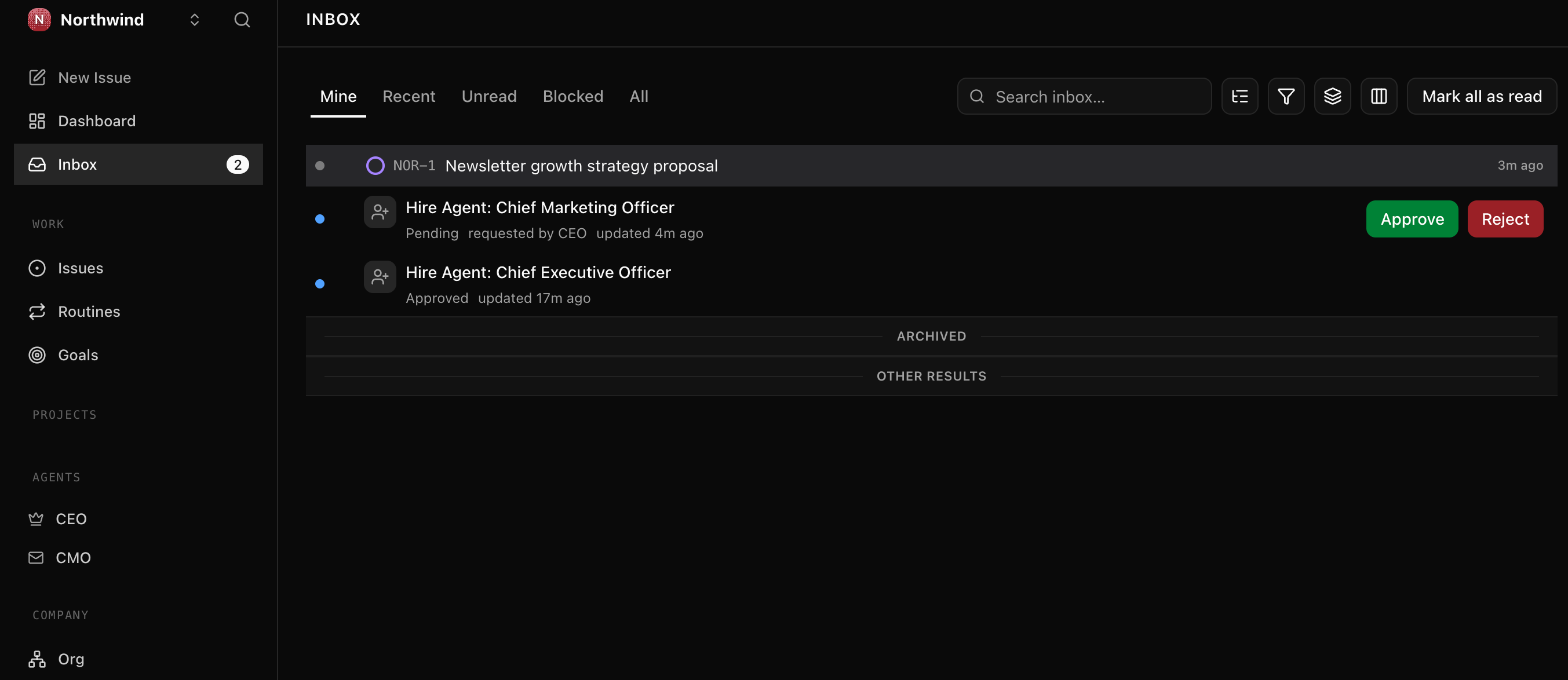
  • 一个提交给你(board)的 approval,并被永久审计记录决定,
  • 一个 real LLM-backed Worker,让 budget 终于有数据可 enforce,
  • 一个 SQL query,可以在毫秒内重建发生过的一切。

这不是你周五就会忘掉的 demo,而是明天会继续触碰的 substrate。


这门速成课如何运作。 你下载一个很小的文件夹,把它交给 coding agent(Claude Code 或 OpenCode),然后走完六个场景。agent 会读取文件夹,安装 Paperclip,建立你的第一家公司,雇用第一个 Worker,分配第一个 issue,并提交第一个 approval。之后,它会把 keyless stub Worker 换成真实 LLM Worker,让 budget 有东西可以计量,并通过查询 activity log 回答一个 CFO 级 audit question。你负责指挥;agent 负责工作;Paperclip 成为 workforce 运行其中的 management plane。

阅读路径 · 前置要求 · 深入版本(点击展开)

阅读路径(六个场景 + 一个每月习惯):

  1. 搭起 Paperclip 并定义公司。 Onboard、dashboard 启动、配置一个 company。约 15 分钟。
  2. 雇用你的第一个 Worker。http adapter 上注册 keyless local Worker(下载包中的 worker-stub.py),准备接收 heartbeats。约 15 分钟。
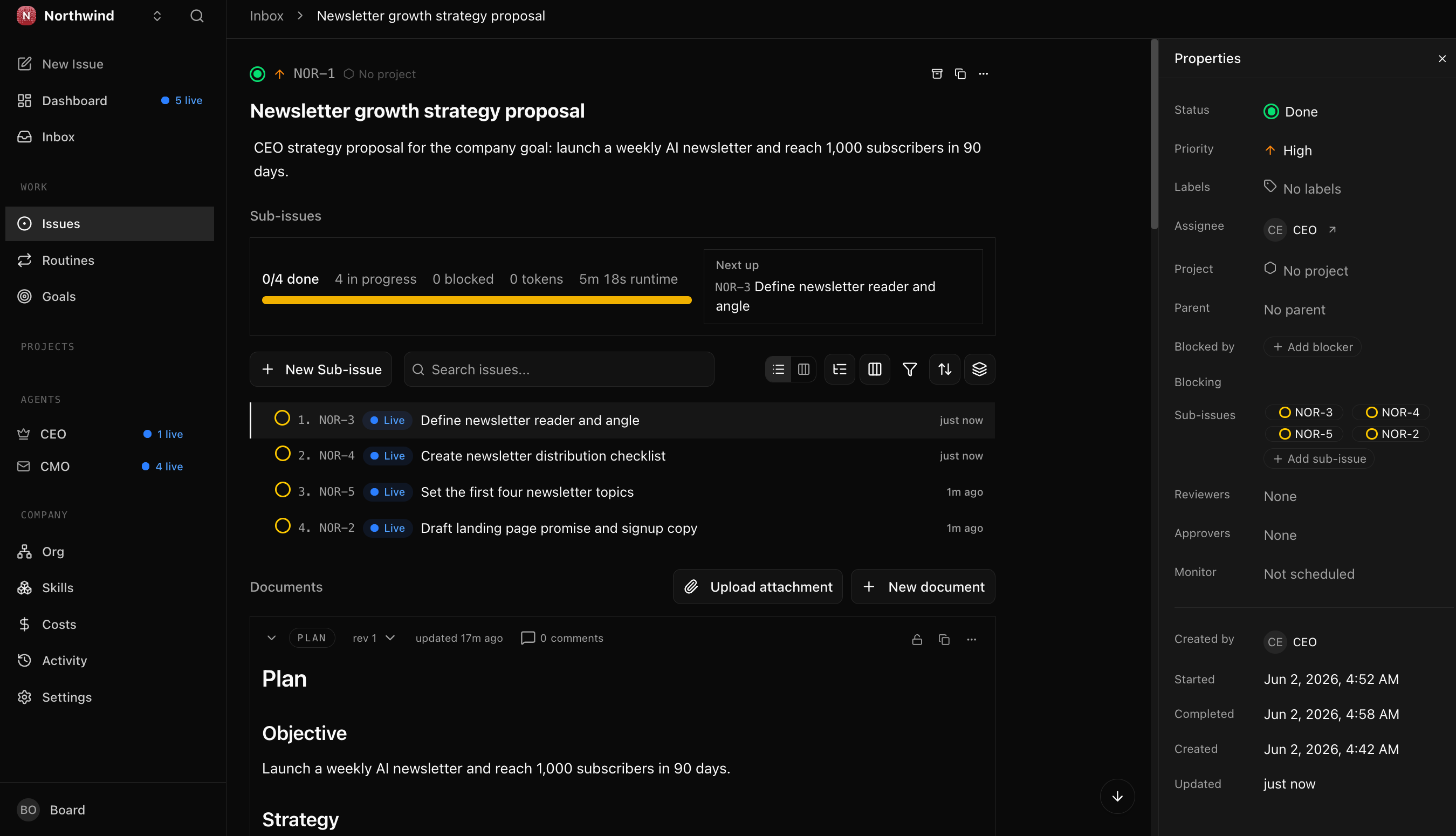
  3. 向公司发送第一个真实 issue。 issue 被创建,在 create time 分配给 Worker,在下一次 heartbeat 被拾取并解决。约 15 分钟。
  4. 为 risky action 提交 approval。 一笔 $750 refund 需要 board sign-off;你提交 request、做出 decision,并读取 audited record。约 15 分钟。
  5. 换入真实 LLM Worker,让 budget 有牙齿。 keyless stub 不做 billable work,所以 budget 永远不动。加入一个 Gemini-backed Worker,观察 spend accrues。约 15 分钟。
  6. 像 CFO 一样查询 audit trail。 一条 SQL query,在毫秒内还原整家公司历史。约 10 分钟。
  7. **(每月一次,不是今天)**运行 workforce audit。到时候约 10 分钟。

每个场景都以可运行的成功状态结束。如果一次坐完 90 分钟太多,可以分成多次;所有东西都会在中间保留。场景 3 到 6 都建立在场景 1 和 2 创建的 company 与 Worker 之上。

前置要求(本页默认具备):

  1. 已安装 Claude Code 或 OpenCode。 任意一个都可以。如果两个都没有,请先完成 Agentic Coding 速成课
  2. Node.js 20 或更高版本。 在 terminal 中运行 node --version。低于 v20.0.0 时,从 nodejs.org/en/download 安装 LTS;如果你要求,coding agent 会带你完成。
  3. Python 3。 运行 python3 --version。场景 2 中雇用的 Worker 是下载包中的小 Python 文件(worker-stub.py,约 120 行),只使用标准库,不需要 pip install。macOS 和多数 Linux 已带 Python 3;Windows 上,coding agent 会帮你安装。
  4. 免费的 Gemini API key,仅用于场景 5。 场景 1–4 和场景 6 完全不需要 API key。场景 5 会把 keyless stub 换成 real LLM Worker,需要一个 key。Google free tier 足够;这也是 OpenClaw 速成课 使用的同一个 key。可以开始前在 aistudio.google.com 获取,也可以到场景 5 再取。
  5. 你已经完成过一门关于 AI Workers 的前置速成课,最好是 OpenClawDigital FTE。Paperclip 的意义是管理一支 Workers workforce;在开始雇用之前,你应知道 Worker 是什么。

想要更耐心的版本? track 中有两门 companion crash courses 分别位于本课前后。From Digital FTE to Production Worker 把单个 Worker 包进 Inngest 的 durability envelope,这是 workforce 之前的一步。From Fixed to Dynamic Workforce 把 hiring 变成 callable capability,这是之后的一步。本页加 AGENTS.md brief 覆盖 management plane 的端到端;那两门是在它之上叠层,而不是替代它。


协作模式

单个 Worker 是 function:一个 queue、一个 job,durable 但不受治理。workforce 是 organization:Paperclip 的 management plane 持有 company、按 adapters 雇用的 Workers、在 create time 直接分配给它们的 issues(没有 rules-based routing engine)、作为 decision records 提交的 approvals、per-Worker budgets,以及记录每个 action 的 activity log。

这一页由三个 actors 共同完成:、你的 coding agentPaperclip。你粘贴 prompts,并做只有人能做的 calls。coding agent 运行 Paperclip CLI 和 API,观察 logs,并从 failures 中恢复。Paperclip 是 management plane:它持有 company、雇用 Workers、通过 heartbeat 把 work 带给它们,并记录每个 action。

这一页由三个 actors 共同完成:你、你的 coding agent,以及 Paperclip(management plane)。你粘贴 prompts 并批准 actions;coding agent 安装并配置 Paperclip;Paperclip 通过 heartbeats 把 work 带给 Workers,并记录每个 action。

每个场景使用同一个五步节奏:

  1. 你向 coding agent 粘贴一句话。 它是 brief,不是 script。你描述想要的 outcome,而不是枚举 steps。
  2. agent 查阅 AGENTS.md 它已经在 context 中:文件夹中的 CLAUDE.md 会在 session start 自动导入它,所以不需要 fetch step。agent 会提出 plan,命名准备运行的 commands,并标出 decision points。第一个 destructive command 之前会询问你。
  3. 你批准并观察。 agent 运行 install commands、调用 API、观察 server log,并把看到的东西告诉你。碰到已知 failure 时,它会从 brief 中识别 pattern 并应用 documented fix。
  4. agent 在 seam 处停下。 有些动作只有你能做:打开 dashboard URL、决定是否批准 $750 refund、导出 API key。agent 会命名 seam 并等待。
  5. 出现一个可观察结果时,场景结束。 activity log 中出现新 row。issue 移到 done。SQL query 返回你预期的 history。每个场景都会告诉你要观察什么。

这就是全部。agent 做它擅长的事:install、configure、debug、query、recover。你做只有你能做的事:decide、approve,并处理与你 accounts 绑定的事情。这个节奏(描述目标、拿到 plan、批准、每一步都验证地执行)与 2026 年 AI Prompting 速成课 中的 prompting pattern 是同一个。下面每个场景都使用两段短 paste prompts,而不是一整墙指令,让你体验节奏而不只是阅读它。

每个场景都使用同一个五步节奏:你粘贴一句话;agent 查阅 AGENTS.md 并提出 plan;你批准;agent 执行并验证;当一个可观察事件发生时(activity-log row、issue at done、SQL result),场景结束。

整门速成课的一条恢复动作

任何地方出问题时,你不需要知道 CLI commands 或 error codes。把这段粘贴给 agent:

Something didn't work. Run paperclipai doctor, then read the most recent Paperclip server log, tell me in plain language what you see, and propose a fix I can approve.

agent 会运行 diagnostic,读取 log,命名它看到的问题,并提出 fix。你批准。这就是本页每个场景的 recovery loop。

如果某个场景耗时太久

每个场景都有预算时间(显示在 H2)。如果耗时超过预算的两倍(例如 15 分钟场景超过 30 分钟),把 agent 拉回并粘贴:"What's blocking us, in one sentence? Let's re-plan from there." 超过预算后原地打转,通常说明 agent 正在 improvising;重新锚定 plan 就能修复。

下载文件夹只有三个文件:AGENTS.md(给任何 coding agent 做 Paperclip 工作的 compact operational reference)、CLAUDE.md(一行 @AGENTS.md,告诉 Claude Code 自动导入 brief),以及 worker-stub.py(场景 2 中雇用的 keyless local Worker)。这就是整个环境。

Download paperclip-crash-course.zip

随便解压到哪里。在解压文件夹中打开 terminal。启动你的 coding agent:

cd paperclip-crash-course
claude

现在 agent 已经加载 brief。我们一次走一个场景;每个场景都以可运行成功结束,再开始下一个。brief 假设你使用的是能力足够的 coding agent(Claude Code,或运行当前 frontier model 的 OpenCode)。更旧或更小的 models 会漂移,最明显地体现在场景 2 的 precise JSON Worker-create body 和场景 6 的 SQL 上。如果场景 1 的第一份 plan 模糊、泛泛,而不是具体到你的机器,那就是继续前换更强 model 的信号。


场景 1 之前:确认 agent 已加载 brief(约 30 秒)

一句 paste 告诉你 CLAUDE.md 是否完成工作,把 AGENTS.md 拉入 agent context:

What can you do for Paperclip?

如果 reply 命名了具体 Paperclip 工作(pre-install probe、company-and-Worker shape、heartbeat contract、create-time issue assignment、approval payload、budget reality、activity-log queries、monthly audit habit),说明已加载,可以进入场景 1。如果只是泛泛谈 AI 能力,没有 Paperclip-specific details,说明 import 没有触发:关闭 agent,确认位于解压后的 paperclip-crash-course/ 文件夹中,再重新启动。

AGENTS.md 里到底有什么(agent 正在读取的文件)

你永远不需要自己读这个文件;这正是它的意义。但知道它的形状,会帮你问出更好的问题,例如 "walk me through the approvals section" 可行,是因为 section 存在。brief 按顺序覆盖:

PART 1 :: PRINCIPLES (apply everywhere)
Versions this brief was verified against
Source of truth, in order ← live docs > this brief > the running install
Critical: discover before you act ← table of intent → where to confirm
Working pattern (every task) ← read → propose → ask → execute → verify
Past tense is for completed actions only
Trust progression ← ask each, then blanket; re-acquire on anomaly
Safety rails (non-negotiable)
Secrets discipline
Sourcing claims that exist only in this brief

PART 2 :: OPERATIONS (verified against a live install)
Install and onboard ← the pre-install probe + the onboard flow
Configure ← second instance, keeping the server alive
Companies ← create, goals, projects
Agents (Workers) and adapters ← the real adapter list + the verified create body
The heartbeat contract ← what the http adapter actually POSTs
Issues and assignment ← no routing engine; assign at create time
Approvals ← the payload + why it's a decision record
Budgets ← why they only move for LLM Workers
Audit trail ← activity_log + the real connection string
Diagnose and recover ← the most common failures
When you don't know what to do ← three-layer fallback

如果稍后某个 section 变得相关,可以让 agent 先带你过一遍再行动,例如:"walk me through the Approvals section of AGENTS.md before we file that request"。这份 brief 就是为了让 agent 能从中自我引导。

关于 lab path:整条 pipeline 都可以 keyless 跑完

场景 2 中雇用的 Worker 是 worker-stub.py,一个随下载包提供的 keyless local Worker。它运行在 Paperclip 的 http adapter 上:每个 heartbeat,Paperclip 都会把 full issue POST 给 stub,stub 再把 disposition post 回来。没有 LLM、没有 API key、没有第二个 tool。你可以只用已有环境,端到端运行整个 management plane(heartbeats、assignment、approvals、audit),覆盖场景 1–4 和 6。之后在场景 5 中只添加一件事:免费的 Gemini key。原因很明确:keyless stub 不做 billable work,所以 budget 没有东西可以 meter。real LLM Worker 才让 budget 有东西可 enforce。pipeline shape 两边相同;keyless stub 只是返回 stub disposition,而不是 drafted reply。


场景 1:搭起 Paperclip 并定义公司(约 15 分钟)

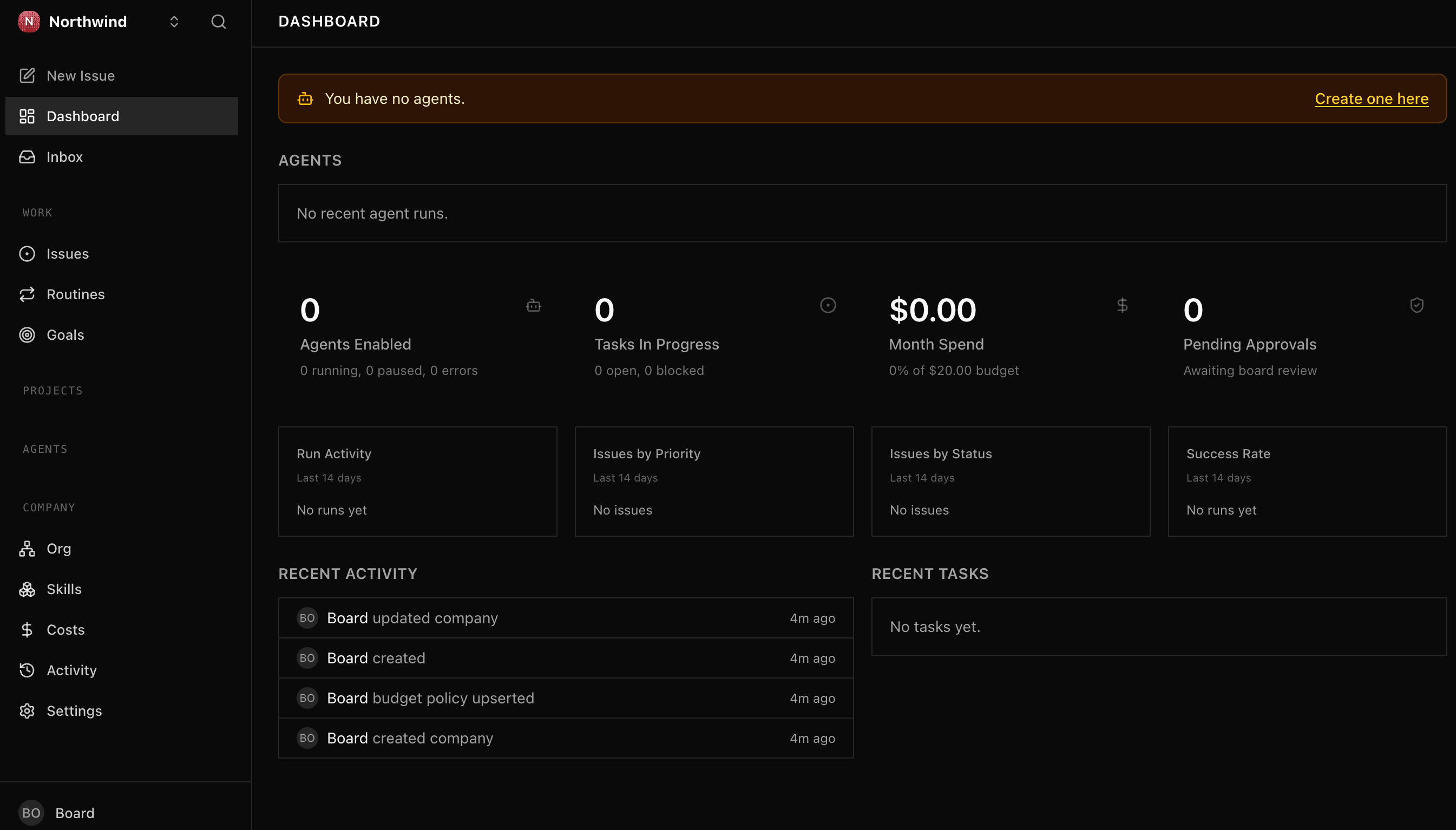
目标:Paperclip 在你的 laptop 上运行,配置一个 company("Acme Customer Support" 或你选择的名字),dashboard 可在 browser 中访问。两段 prompts:先要求 plan,再批准执行。

1a. Onboard 并验证安装

第一段 prompt:描述你想要什么,并要求 plan。

I'd like to get Paperclip running on my laptop and walk through a first company called Acme Customer Support. Before you touch anything, run the pre-install probe from your brief and walk me through your plan in plain language: what you checked, what you'll change, where you'll need me to step in.

agent 会读取 AGENTS.md,运行 pre-install probe(Node version、prior installs、port availability、prior data directory、other running Paperclip processes),并提出 plan。如果有 stale state(已有 paperclipai install、占用默认 port 的 process),它会在触碰前停下让你决定。阅读 plan;如果不对,问 "why are you doing that?"。

第二段 prompt:批准并让它运行。

Plan looks good. Go ahead step by step, and tell me what you see at each step. Pause before any destructive command. When onboarding finishes, name the dashboard URL so I can confirm I see it in my browser; it auto-opens in some setups.

agent 会运行 brief 中的 onboarding command,观察 output,并捕获 script 输出的 operational values:API host、dashboard URL、data-directory path、embedded Postgres port、config-file path。它会把这些保存到你控制的 project-local file 中(不要回显到 chat)。brief 会让它注意一个小细节:onboard banner 的 API line 带 /api suffix,但后续 API calls 需要 bare host,避免出现 /api/api/。默认 loopback bind mode 下不会发 bootstrap API key(trust 是 loopback-scoped);如果你问为什么没有 key,agent 会说明。

**1a 完成条件:**agent 报告 API server 正在 listening;你可以在 browser 打开 dashboard URL;dashboard 正常 render。

1b. 定义你的第一家公司

把这段粘贴给 agent:

Now define the company. Name it Acme Customer Support. Its purpose: "Respond to customer inquiries within 4 hours, with refund decisions made consistently and within policy." Add one goal, "Reduce average response time to under 4 hours," and one project, "Inbound email triage." Check the live API for the exact field names first, then create them. When you're done, show me what's now visible in the dashboard.

agent 会读取 brief 的 Companies section,并用 running API 确认 field names(brief 提醒:company purpose 放在 description field;unknown field name 会 silent fail)。然后创建 company、goal 和 project,并带你在 dashboard 确认。

**场景 1 完成条件:**dashboard 显示一个名为 "Acme Customer Support" 的 company,以及一个 goal 和一个 project;activity log 显示对应 creation rows(agent 会读回 Paperclip 记录的 exact action names,类似 company.createdgoal.createdproject.created)。后续所有 action 都建立在这条 baseline 上。

带入场景 2

Paperclip 分配的 company ID 已保存在 agent 创建的 project-local file 中。后续每个场景都让 agent 从该文件读取,所以你不需要自己记 ID。保持 agent 在解压文件夹中运行,让它能访问 working directory 中的文件。


场景 2:雇用你的第一个 Worker(约 15 分钟)

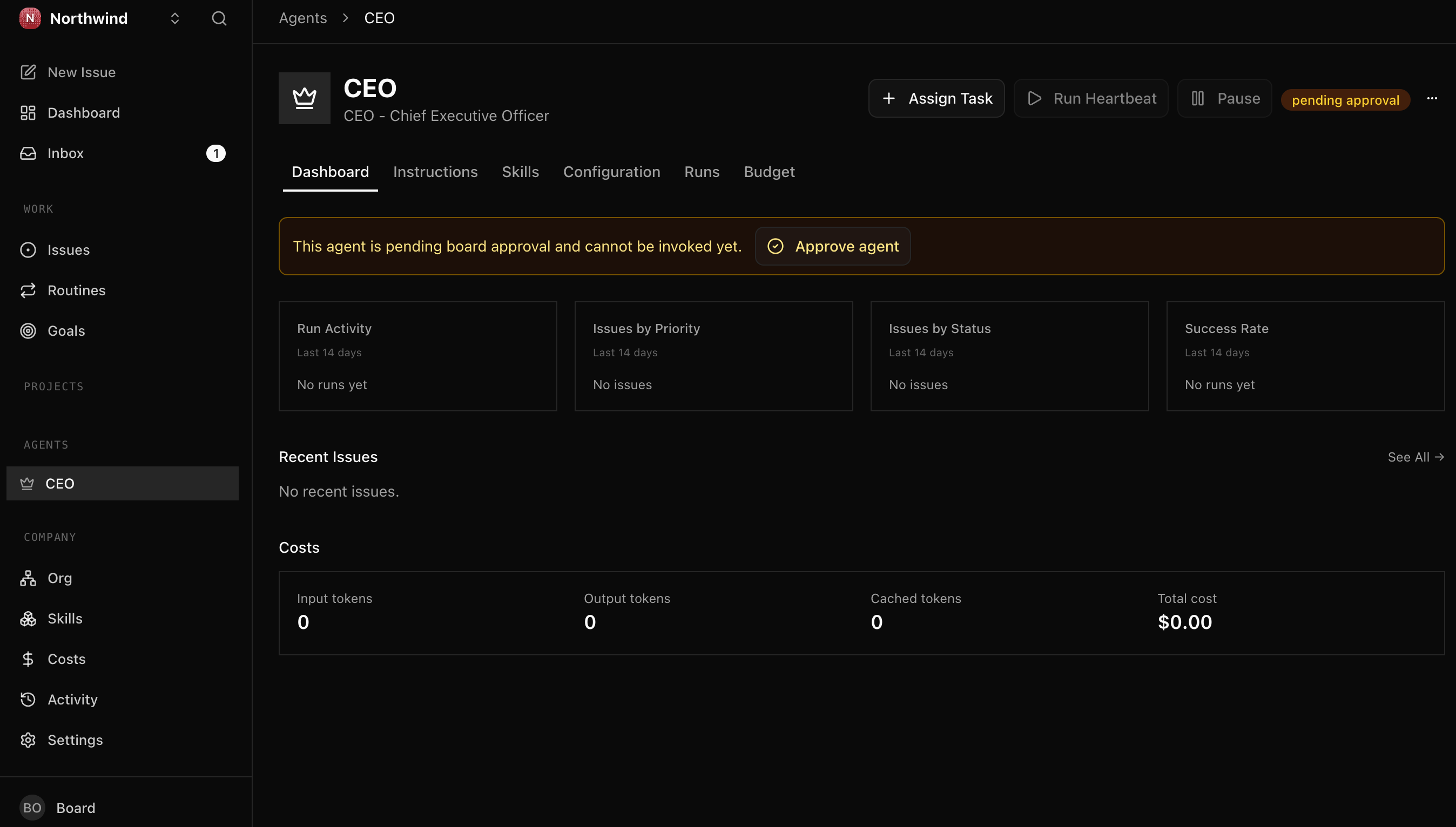
概念。 Paperclip 中的 Worker 是一个 configured role:name、runtime、permissions、budget、heartbeat schedule。(Paperclip API 自己把它们叫 "agents";本页一直叫 "Worker",避免与接收 prompts 的 coding agent 混淆。agent 向你展示 /agents request 时,指的就是同一件事。)runtime 通过 adapter 插入。Paperclip 提供多种 adapters:LLM runtimes(claude_localcodex_localgemini_local 等)、openclaw_gateway、每次 heartbeat 运行 command 的 process adapter,以及把每次 heartbeat POST 到你控制 URL 的 http adapter。你的 agent 可以用一次 API call 列出当前 install 的 set。

Bring-your-own-agent heartbeat contract。Paperclip 把 heartbeat POST 到 Worker URL,携带 assigned issue(agentId、runId,以及包含 full issue 的 context object);它不会 push authority envelope 或 budget,这些留在 server-side。Worker 以 HTTP 200 确认,并通过 PATCH issue to done 单独 post disposition。任何说这种 contract 的 runtime(http、process、claude_local、codex_local、gemini_local 等)都可作为 Worker 被 hire。

Authority envelope 是一个 mental model,用来思考 Worker 可以做什么,而不是 Paperclip schema。在 Paperclip 2026 release 中,你用 capabilities field 的 plain language 描述 Worker authority;runtime 存储这段 prose,而不是 enforce structured per-field limits。真正的 enforcement seam 是 approval gate:当 task 越过你描述的线时,提交 board approval,而不是执行 action。

2a. 启动 stub Worker 并起草角色

把这段粘贴给 agent:

Start the worker-stub.py server from the download and hire it as a Paperclip Worker for Acme Customer Support. Use the http adapter. Before creating it, show me the exact role, capabilities, heartbeat schedule, and budget you plan to set, and confirm the live API field names.

agent 会启动 worker-stub.py,确认它在本地 URL 上 listening,并创建 Worker。capabilities 是人类和审计都能读懂的 authority description;预算在 keyless stub 上不会变化,但仍然作为 company discipline 的一部分出现。

**场景 2 完成条件:**dashboard 显示一个 Worker;activity log 记录 worker creation;agent 能说明 adapter 是 http,并且 heartbeat target 指向 stub。


场景 3:向公司发送第一个真实 issue(约 15 分钟)

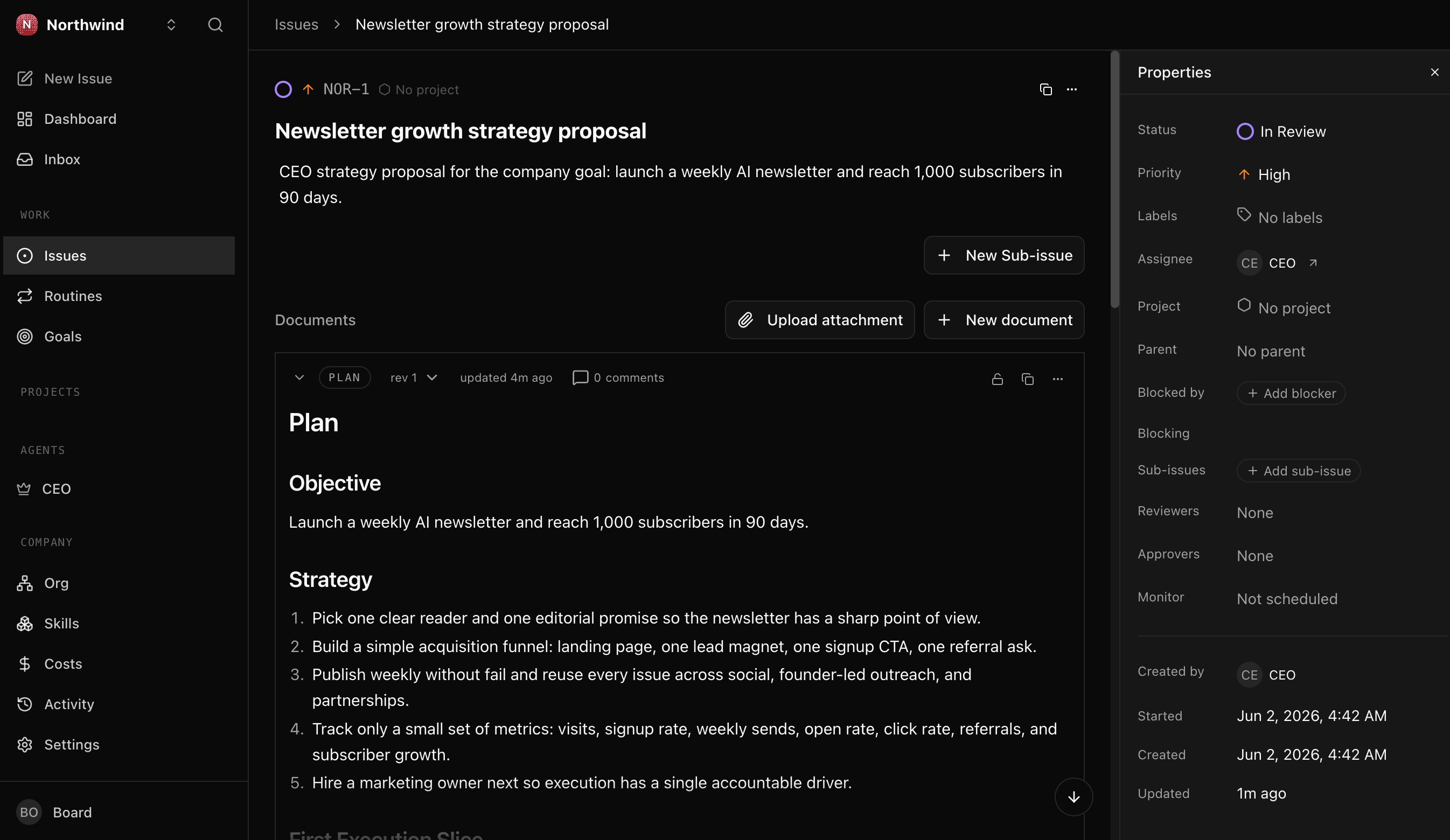
概念。 Paperclip 2026 没有 rules-based routing engine。它不会把「匹配 X」的 issue 自动送到 Worker Y。assignment 是直接的,且关键动作是在 create time 完成 assignment。带 assignee 创建的 issue 会接入 heartbeat orchestration;后续 assignment 不会以同样方式触发 pickup。

3a. 创建一个 inbound issue,并在 create time 分配

Create one inbound customer issue for Acme Customer Support and assign it to the Worker at create time. Make it realistic: a customer asking for a refund after a failed delivery. Show me the request body first, then create it.

agent 会起草 issue,确认 company ID 和 Worker ID,然后 create-and-assign。它会解释为什么这一步不能拆成「先创建,再分配」。

3b. 观察 Worker 拾取它

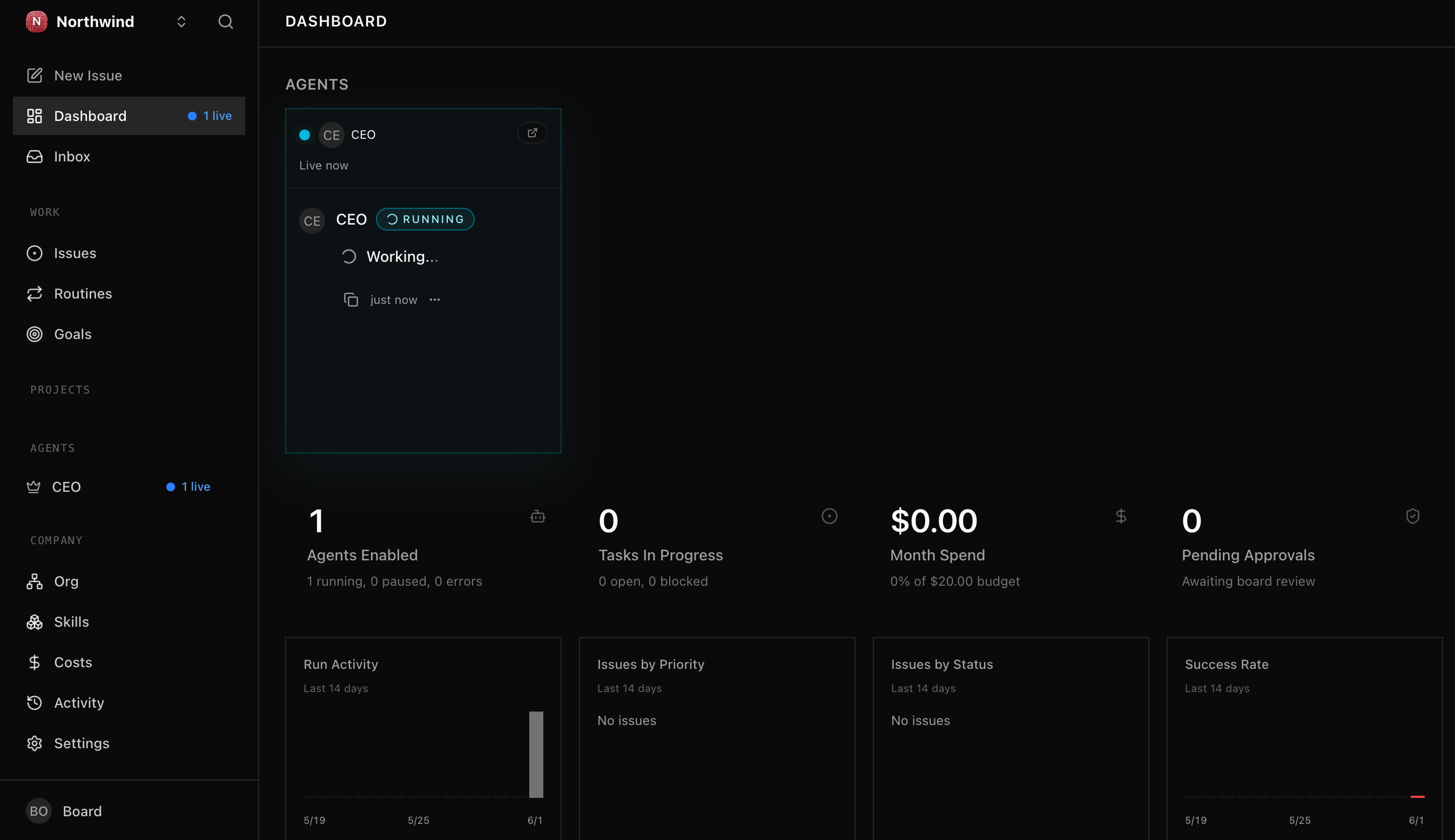
Now show me the issue lifecycle. If the Worker already woke on assignment and completed it, show me what happened. If not, trigger or wait for the next heartbeat and tail the log until it moves.

**场景 3 完成条件:**issue 经过 todoin_progressdone,并带有 startedAtcompletedAt timestamps。你已经看到 Paperclip 如何把 work 带给 Worker,而不是只看到一条静态记录。


场景 4:为 risky action 提交 approval(约 15 分钟)

概念。 Approval 是 durable board decision record,不是 state machine。批准它不会自动 resume Worker、改变 linked issue,或执行 action。acting on the decision 是单独步骤。approval 的价值在于记录:谁请求了什么、为什么、替代方案是什么、谁决定、什么时候决定。

Approval 是 tracked board decision record,不是 state machine。request 带有 type(risky action 使用 request_board_approval)和 free-form payload(action、rationale、alternatives);human board 决定后,status 从 pending 移到 approved 或 rejected,并写入 decider 与 timestamp。决定 approval 不会自行 resume Worker 或改变 linked issue;根据 decision 行动是另一步。价值在于 activity_log 中可审计的 chain,actor_type 标明 human decider。

4a. 提交 approval request

File a board approval request for a risky action: refunding $750 to the customer from Scenario 3. Include the action, rationale, risk, and alternatives. Show me the payload first.

在 keyless lab 中,stub Worker 不会 reason,所以由你通过 agent 扮演 board's hand 来 file request。真实 LLM Worker 遇到 authority-exceeding action 时会自行提交。

4b. 做出决定

Show me the pending approval in the dashboard or API, then let me decide it. Record my decision and show me the audited row afterward.

**场景 4 完成条件:**approval 从 pending 变为 approved 或 rejected;activity log 清楚显示 human board 做出了 decision,并保留 timestamp。你理解了 approval 是 decision record,而不是自动执行引擎。


场景 5:换入真实 LLM Worker,让 budget 有牙齿(约 15 分钟)

到目前为止,keyless stub 没有 API key、没有 token usage,也没有 billable work。因此 budget 不会移动。场景 5 的目的不是为了「更聪明」;而是为了让 budget 有数据可 enforce。

Budget 是单个 monthly cents value,并且只有当 Worker 做 billable work 时才有牙齿。keyless stub Worker 产生零 cost:无论多少 heartbeats 触发,它的 monthly spend 都不动,cost tables 也为空。LLM-runtime Worker 会做 billable work,因此 per-run usage 被记录,monthly spend 会朝 budget 增长。spend 接近 limit 时 Paperclip 如何处理,是你在场景 5 中 live 观察的内容。

5a. 雇用 LLM Worker

Hire a second Worker for the same company, backed by Gemini on the free tier. Use my Gemini key safely through an environment variable or local secret reference. Show me the adapter choice, budget, and capabilities before creating it.

agent 会安全接收 key,创建 LLM-backed Worker,并解释与 keyless stub 的差异。

5b. 给它工作并观察 budget

Create one issue assigned to the Gemini-backed Worker and watch it complete. Then query the cost and budget records so I can see spend move.

**场景 5 完成条件:**LLM Worker 处理了一个 issue;cost_events 出现 row;budget spend 开始有意义。你已经看到「管理」不仅是组织结构,还包括成本约束。


场景 6:像 CFO 一样查询 audit trail(约 10 分钟)

概念。 management plane 的意义,是让公司之外的人只凭数据库就能重建发生了什么。CFO、legal、operations 或 compliance 不需要去问 operator;他们可以查询 institutional memory。

activity_log 表是公司的 institutional memory:每个 mutating action 一行,包含 actor_type、actor_id、dotted action name,以及被触碰的 entity(entity_type 加 entity_id,不是 issue_id column)。cost_events 表用 cost_cents 存储 dollar story,每个 billable run 一行,并且只有 LLM Worker 运行后才会填充。两者合起来,让 CFO、legal、operations 或 compliance 能在毫秒内重建发生过什么。

把这段粘贴给 agent:

Query Paperclip's embedded Postgres like a CFO. Show me, in one result, the company, the Workers hired, the issues created and completed, approvals filed and decided, and any cost events. Explain the result in business language, not database language.

agent 会找到 connection string,运行 SQL,并把结果翻译成 business timeline。你应看到 company creation、Worker hires、issue lifecycle、approval decision 和 cost_events 的联系。

**场景 6 完成条件:**一条 query 或一小组 query 在几秒内重建 company history,并且你能向非技术 stakeholder 解释「谁做了什么,花了多少钱,有哪些 approval」。这就是 management plane 的 payoff。


场景 7:你的每月 workforce audit(约 10 分钟/月)

概念。 workforce 会累积:新 Workers、budgets、approval policies、adapter configs、credentials、scheduled work、cost events。每一项都是一个小 decision;合起来会改变公司。防御不是持续紧张,而是固定 cadence。

到时候,把这段粘贴给 agent:

Run my Paperclip monthly workforce audit. List Workers, adapters, budgets, approvals, open issues, recent activity, and cost events since the last audit. Flag anything that expanded authority, increased spend, or looks stale. Summarize what I should approve, pause, or delete.

**完成条件:**你 review report,并至少做出一个 decision:pause stale Worker、lower budget、close orphan issue、archive old approval、rotate credential,或记录「no change」。下个月再来一次。


为什么这有效

两个东西保持新鲜;一个东西保持耐用。

Fresh #1:本页 scenarios 位于 book site。agent 每个 session 会读取相关 section。

Fresh #2:Paperclip 仍在快速变化,agent 会把 running install 和 live API 当作 source of truth,避免用过期字段名写坏 request。

Durable:下载包中的 AGENTS.md 保留稳定操作纪律:discover before act、先 plan 再执行、unknown fields silent fail、create-time assignment、approval as decision record、budget only moves on billable work、activity_log 是 audit trail。它不是要替代你的判断,而是让 coding agent 在每次行动时都能找到正确约束。

你没有走一组孤立 demos;你建立了一个明天还能继续使用的 management plane。


现在实际运行着什么

不是六个 demos,而是一套 system。场景 6 之后持久存在的 inventory:

Artifact它实际是什么为什么明天重要
Paperclip instance运行在 laptop 上的 management planecompany、Workers、issues、approvals、budgets 都在这里
CompanyAcme Customer Support,带 goal 和 project所有后续 work 的组织边界
Keyless Workerhttp adapter 上的 worker-stub.py不花钱即可验证 heartbeat、assignment、approval、audit
LLM WorkerGemini-backed Worker让 budget 和 cost_events 有真实数据
Issues在 create time 分配给 Workers 的 work itemswork 不是漂在空中,而是有 ownership
Approvalsboard decision recordsrisky actions 有 human sign-off 和 permanent audit
Budgetsper-Worker monthly cents limits成本成为治理的一部分
activity_log每个 mutating action 的 append-only recordCFO、legal、compliance 可以自助重建历史
cost_eventsbillable LLM runs 的 cost storyspend 可被解释、比较和控制

这张图就是重点:Paperclip 不是另一个 agent。它是 agents 之间的公司结构。


接下来去哪里

完成本课后,你已经拥有一支最小但真实的 AI workforce:一个 company、两个 Workers、一个 keyless path、一个 paid-capable path、approval gate、budget,以及 audit trail。

你想要……去这里
把单个 Worker 包进 durable executionProduction Worker 速成课
让 workforce 能发现 gaps 并雇用新 rolesDynamic Workforce 速成课
让 owner 不再成为 approval bottleneckIdentic AI 速成课
把 agent harness 部署到 cloudCloud Deployment 速成课
选择合适的 agentic architecture patternChoosing Agentic Architectures

Meta-lesson:这里最值钱的仍然是 AGENTS.md 的写法。页面给你 tour;brief 给 agent 操作纪律。为下一个 management tool 写同样的 brief,你就能把「人负责 intention 与 approval,agent 负责 execution 与 verification」迁移过去。


Flashcards Study Aid